


If your MailTracker extension is deactivated, you can activate it again by following this process:
-
On the Address bar copy-paste chrome://extensions/
-
Search MailTracker
-
Click on the button to activate MailTracker
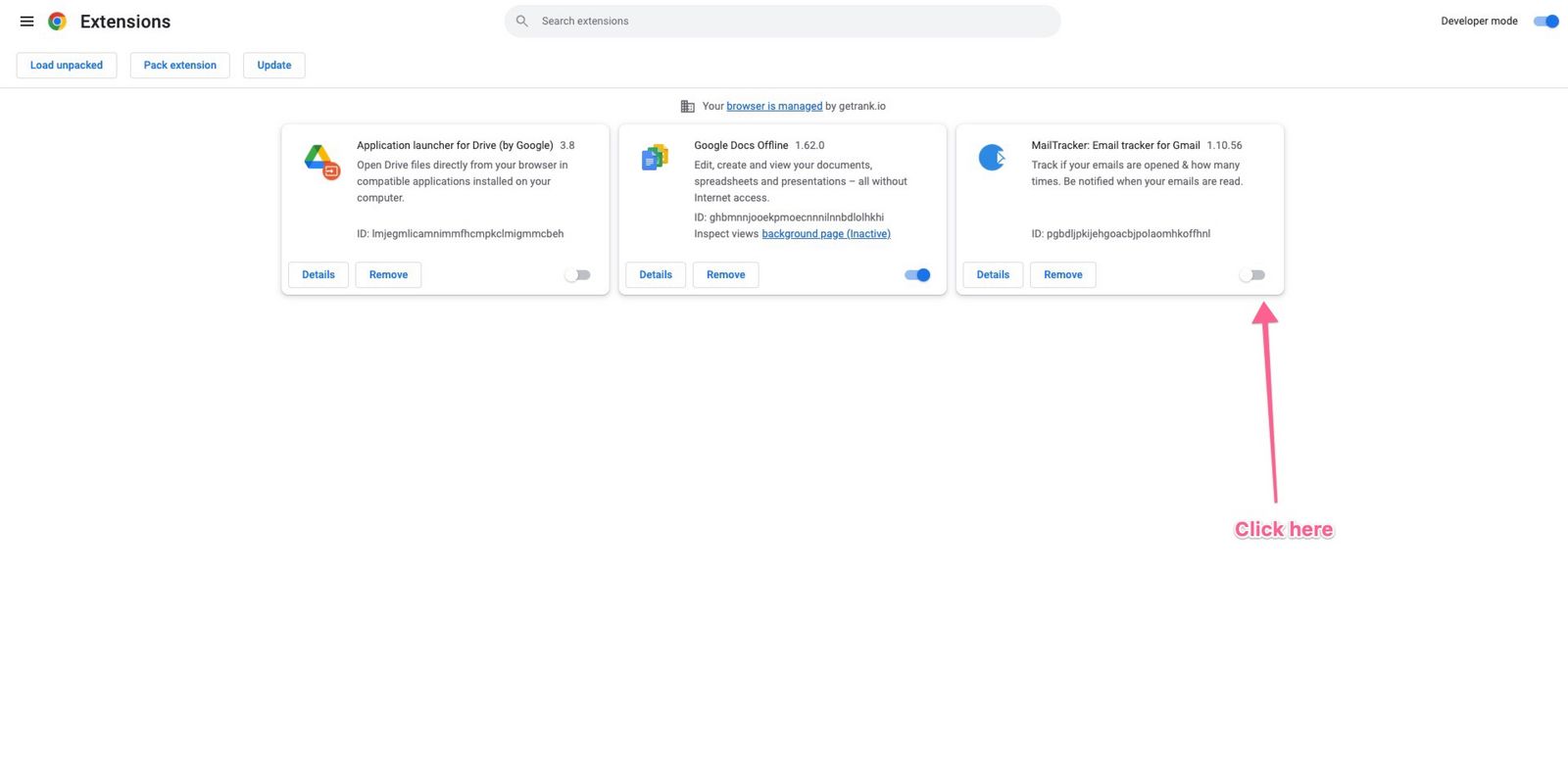
Chrome extension settings
If your MailTracker extension is deactivated, you can activate it again by following this process:
On the Address bar copy-paste chrome://extensions/
Search MailTracker
Click on the button to activate MailTracker