


Email metrics only matter if they help you decide what to do next.
In this article, we break down 5 email metrics that actually guide action, when to follow up, when to wait, and when to move on.
Each metric is explained in simple terms, with real examples, so you can understand what your emails are doing and respond accordingly.
If you want clearer signals from your emails and better timing on follow-ups, these are the metrics worth paying attention to.
TL;DR: The 5 Email Metrics That Matter Most
1. Open rate – Tells you if your subject line and timing are good enough to get your email seen.
2. First open time – Shows when your email actually gets attention, so you can time follow-ups better.
3. Re-opens – Signals continued interest and tells you when an email is worth revisiting.
4. Link clicks – Confirms real engagement and shows what people care enough to open.
5. No open after a follow-up – Gives you a clear stop signal so you don’t waste time chasing cold emails.
5 Email Metrics That Actually Matter in 2026
1. Tasa de apertura
Open rate shows how many people opened your email out of the total number of emails you sent. It’s usually shown as a percentage.
For example, if you send 100 emails and 40 are opened, your open rate is 40%.
Open rate helps you answer one simple question: are people even seeing your email?
Before you think about replies, conversions, or “my message isn’t good enough,” you first want to know if your email is getting noticed at all.
If your open rate is low, the issue is usually not your offer or your message. It’s often:
- The subject line (here you have some great email subject line examples you can use)
- Or the email lands at the wrong moment (busy inbox, bad day/time, etc.)
If your open rate is high, your email is getting attention and that’s the first step before any reply or action.
Here’s how this looks in practice. Below, you can see the MailTracker open rate directly inside Gmail.
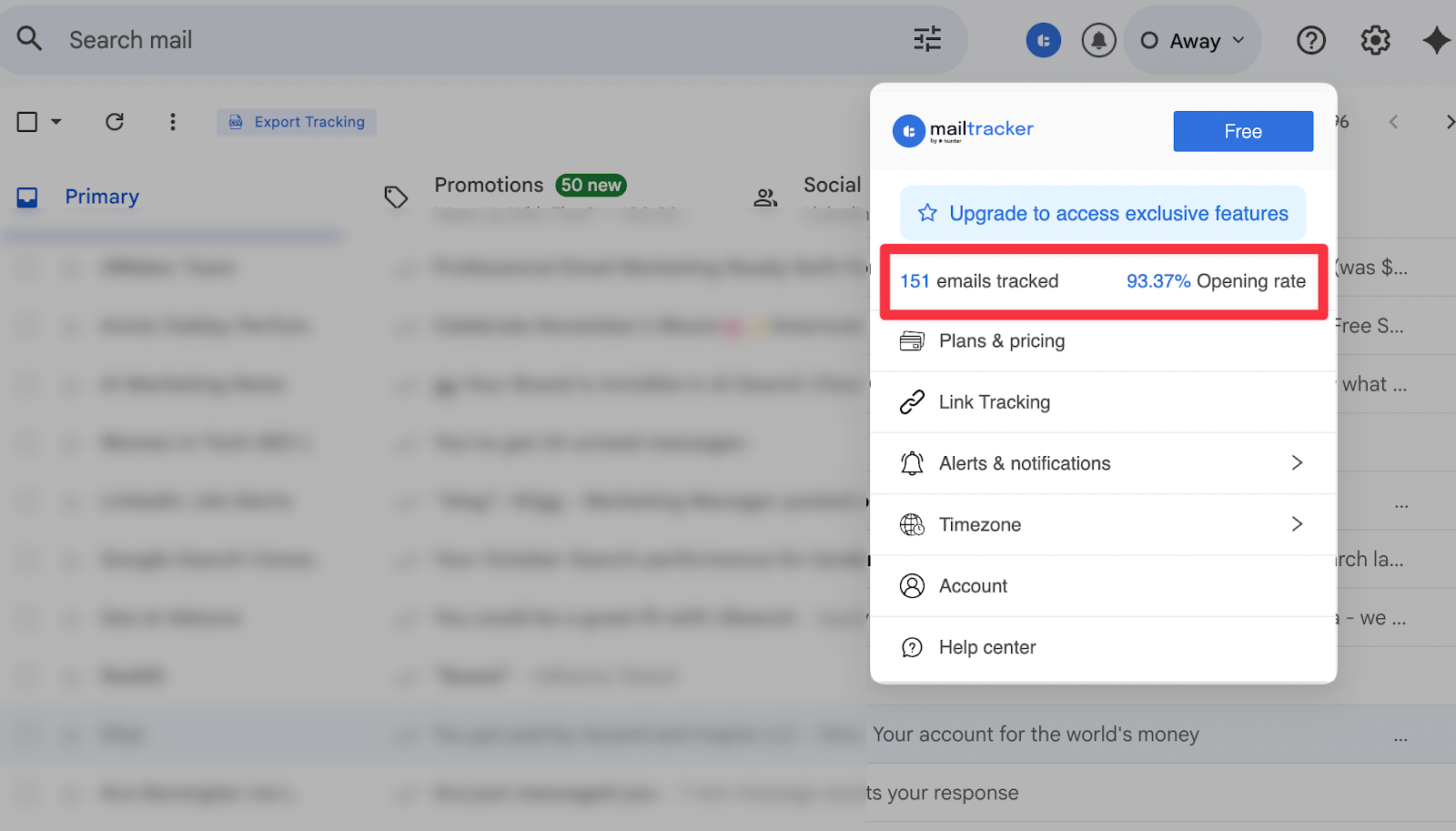
It shows how many emails were tracked and what percentage of them were opened. In this example, 151 emails were tracked and over 90% were opened.
This gives you a quick way to see if your emails are actually getting seen. When you notice low opens, you know it’s time to adjust your subject line or timing.
When opens are high, you know your email is landing well and that’s the signal to focus on the message or follow-up instead.
Want to check how you can increase your email open rate with MailTracker? We wrote an email open rate case study where you can learn how.
2. First Open Time
First open time shows how long it takes for someone to open your email after you send it.
For example, if you send an email at 10:00 AM and it’s opened at 10:20 AM, your first open time is 20 minutes.
This is important because timing affects how you should follow up. A fast open usually means your email landed at a good moment. A slow open often means it sat in the inbox while other things took priority.
Below, MailTracker shows the exact moment your email was opened for the first time, along with the time it took to happen directly in Gmail.
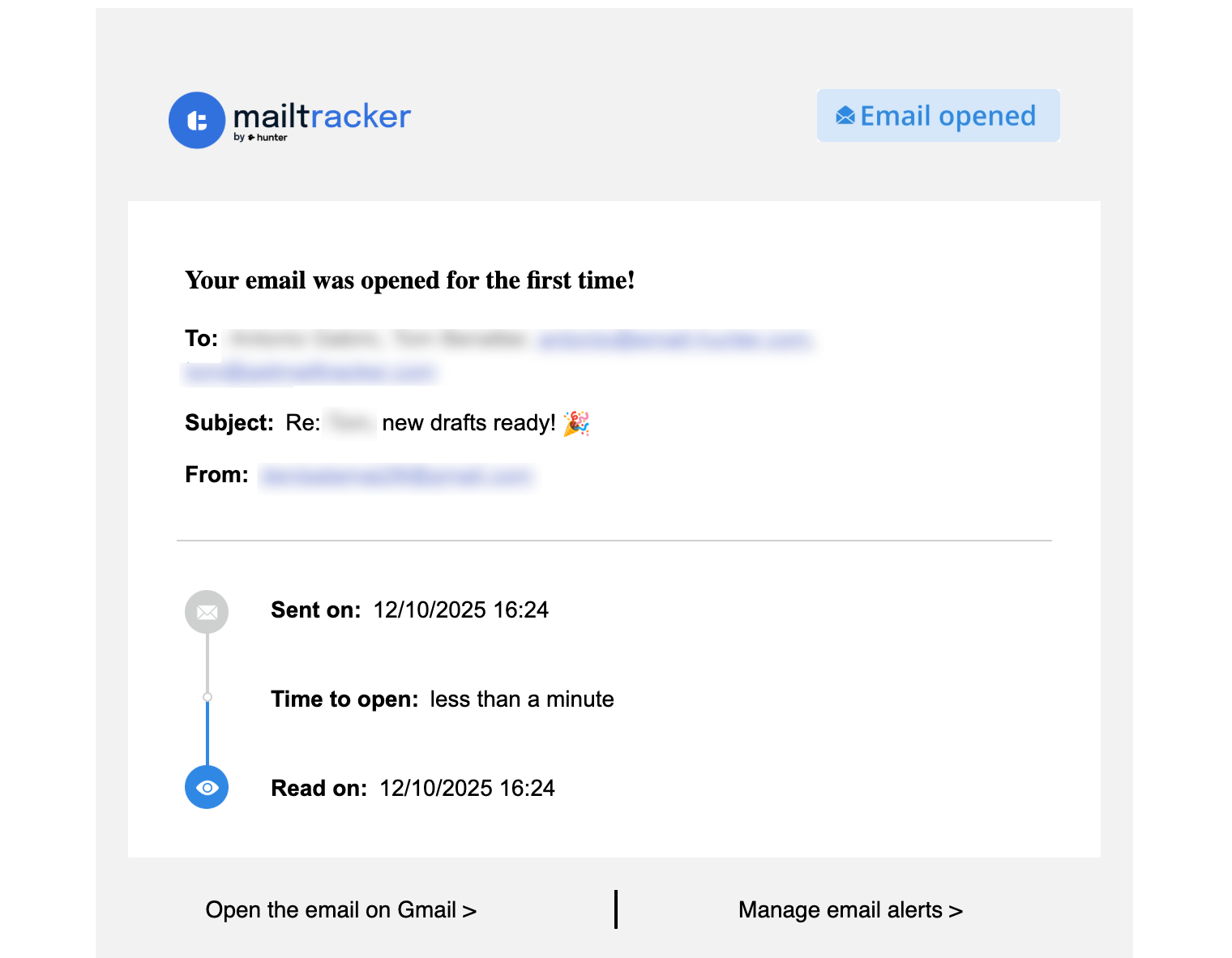
Once you know the first open time, you can adjust your next email follow-up strategy:
- If the email was opened quickly, a follow-up a few days later usually feels natural
- If the open happened much later, a softer or delayed follow-up makes more sense
Used this way, first open time becomes a guidance signal. It helps you match your timing to how your email was actually received, instead of following a fixed schedule.
3. Re-Opens
A re-open happens when someone opens the same email more than once.
This usually means your email stayed relevant after the first read. People re-open emails to check details again, review links, forward the email, or come back when they’re ready to act.
It’s one of the clearest signs that your email didn’t just get seen but it got considered.
Re-opens matter because they show continued attention. A single open can be accidental or quick. A re-open means the email came back onto the screen for a reason.
MailTracker shows a full timeline of the email: when it was sent, when it was first opened, and when it was opened again after a long gap.
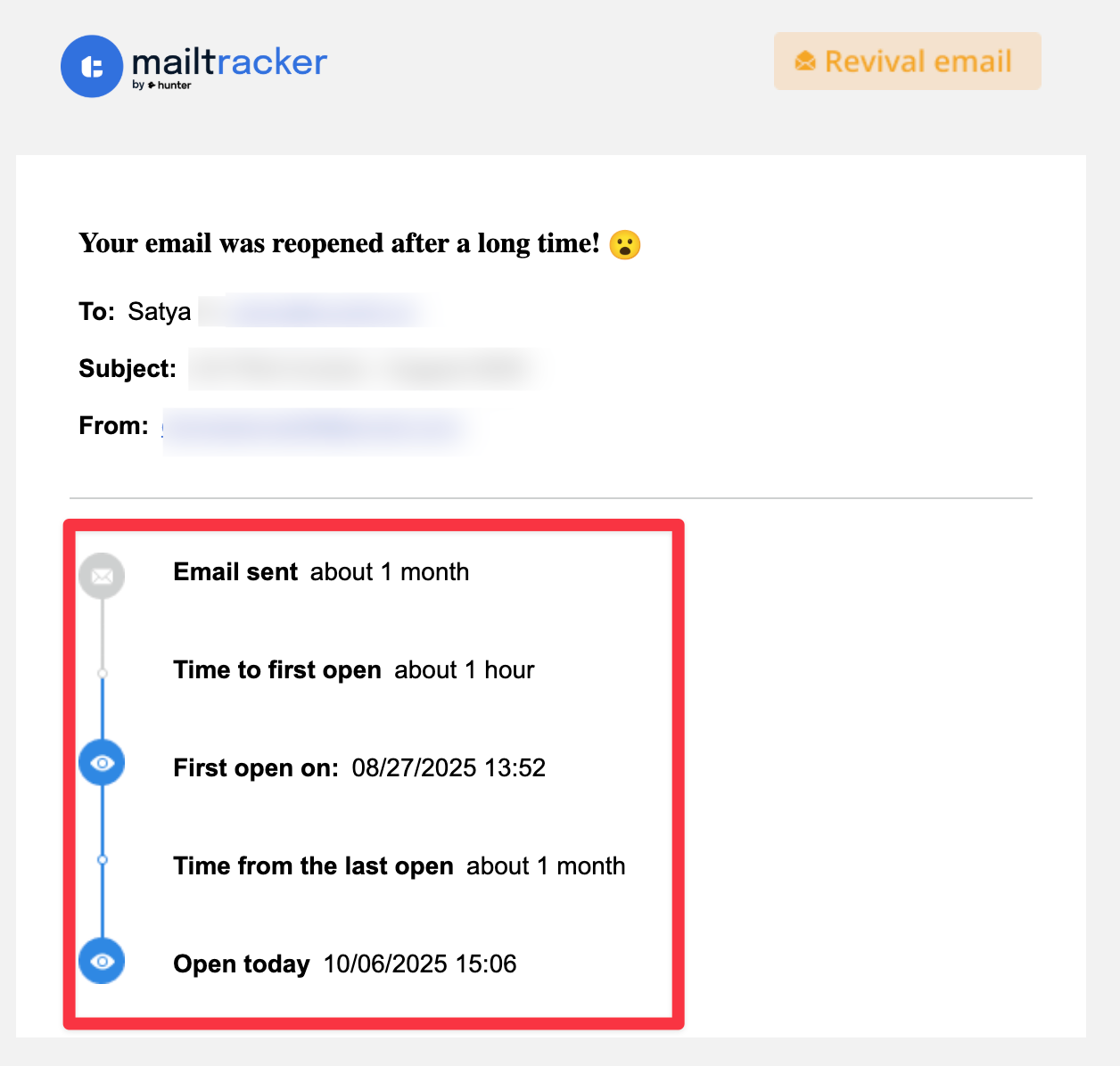
You can clearly see that the email was revisited weeks later, which is exactly the kind of signal you’d otherwise never notice in Gmail.
Re-opens help you decide when to act next. When you see someone come back to an email:
- It’s often a good moment to follow up
- You can keep the message short and relevant, since they already know the context
- You avoid reaching out blindly, because you’re responding to real behavior
4. Link Clicks
Link clicks show when someone clicks a link inside your email.
This matters because a click means the reader didn’t just open your message but they took action.
It’s one of the strongest signals you can get from an email, especially when you’re sharing something important like a page, document, resume, or resource.
Below, you can see how link tracking works in MailTracker. When you add a link to your email, you simply toggle “Track this link”, apply it, and send the email as usual.

MailTracker then tracks if that link gets clicked, without changing how the email looks to the reader.
Once the email is sent, you can clearly see if the link was opened.
Link clicks also help you time your next step:
- A click usually means interest, so waiting a short time before following up makes sense
- No click can signal that the email was skimmed, not explored
- Repeated clicks often mean someone is reviewing your content more carefully
5. No Open After a Follow-Up
This metric shows that your email was never opened even after you followed up.
It’s one of the clearest signals you can get, because it removes guesswork. If an email stays unopened, it usually means it didn’t hit the right moment, priority, or inbox.
Not every email deserves another follow-up, and this metric helps you see that clearly.
MailTracker shows unopened emails directly in Gmail, so you can spot them quickly with a notification.
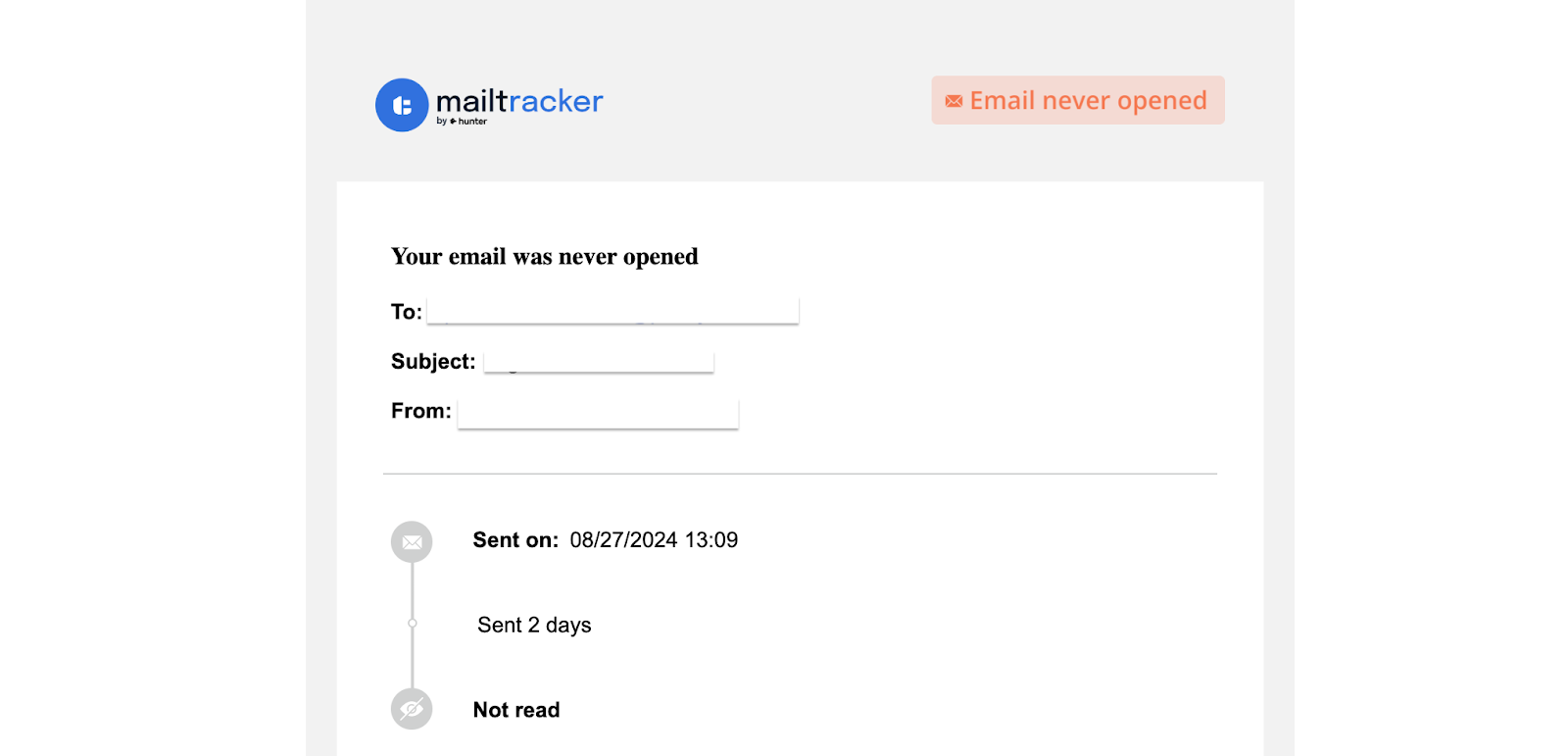
When you see that an email hasn’t been opened at all, you know it’s time to make a decision.
This signal helps you choose the right next move:
- You can adjust the subject line and try again later
- You need to change your approach for future emails
- Or move on and focus on higher-signal conversations
“No open” is not a failure metric. It’s a stop signal that saves time and keeps you focused on emails that actually have a chance to move forward.
Track These Email Metrics With MailTracker
Email metrics only matter when you can see them clearly and use them to decide what to do next.
MailTracker lets you track and increase open rate, track first open time, re-opens, link clicks, and emails that were never opened.
These signals help you follow up with better timing, adjust subject lines when needed, and stop wasting time on emails that go nowhere.
If you want clear visibility into your email performance, you can start for free.

