


Following up is what turns a sent email into a reply.
Without it, even important emails (job applications, proposals, or sales messages) can get lost in a busy inbox.
Gmail follow-up tools help you stay on top of those conversations.
They show you whether an email was opened, remind you to follow up at the right time, and in some cases, automate follow-ups based on engagement.
All of this happens directly inside Gmail, without changing how you send emails.
In this guide, we compare the 5 best follow-up tools for Gmail, explaining what each tool does, how it helps, its main features, limitations, and who it’s best suited for.
TL;DR: What Are the 5 Best Follow-Up Tools for Gmail?
1. MailTracker – A Gmail follow-up tool that uses real-time email opens, clicks, and reminders to help you follow up at the right time.
2. MailSuite – A Gmail extension that tracks email opens and adds follow-up notifications directly in your inbox.
3. Snov.io – A sales-focused platform that automates follow-up sequences and tracks engagement across Gmail outreach.
4. Right Inbox – A Gmail productivity tool with follow-up reminders, recurring emails, and basic tracking.
5. FollowUpThen – A lightweight email reminder tool that helps you schedule follow-ups using simple email commands.
5 Best Follow-Up Tools for Gmail in 2026
1. MailTracker
MailTracker is a Gmail follow-up tool that helps you decide when to follow up based on real email behavior.
It works as a Chrome extension inside Gmail and shows you how recipients interact with your emails after you send them.
It’s widely used by job seekers, freelancers, and sales teams who rely on follow-ups to get replies.
MailTracker is trusted by 100,000+ users and has a 4.7/5 rating on the Chrome Web Store, making it a suitable and reliable solution for everyday email tracking.
MailTracker also keeps your emails professional. Even on the free plan, it doesn’t add logos or tracking signatures, so recipients won’t see any branding in your messages.
Caractéristiques principales
1. Real-time email open tracking: You can see exactly when someone opens your email, so you know your message was noticed and can plan your follow-up accordingly.
2. Follow-up reminders based on email activity: MailTracker reminds you to follow up at the right time:
- After the first open, so you don’t wait too long
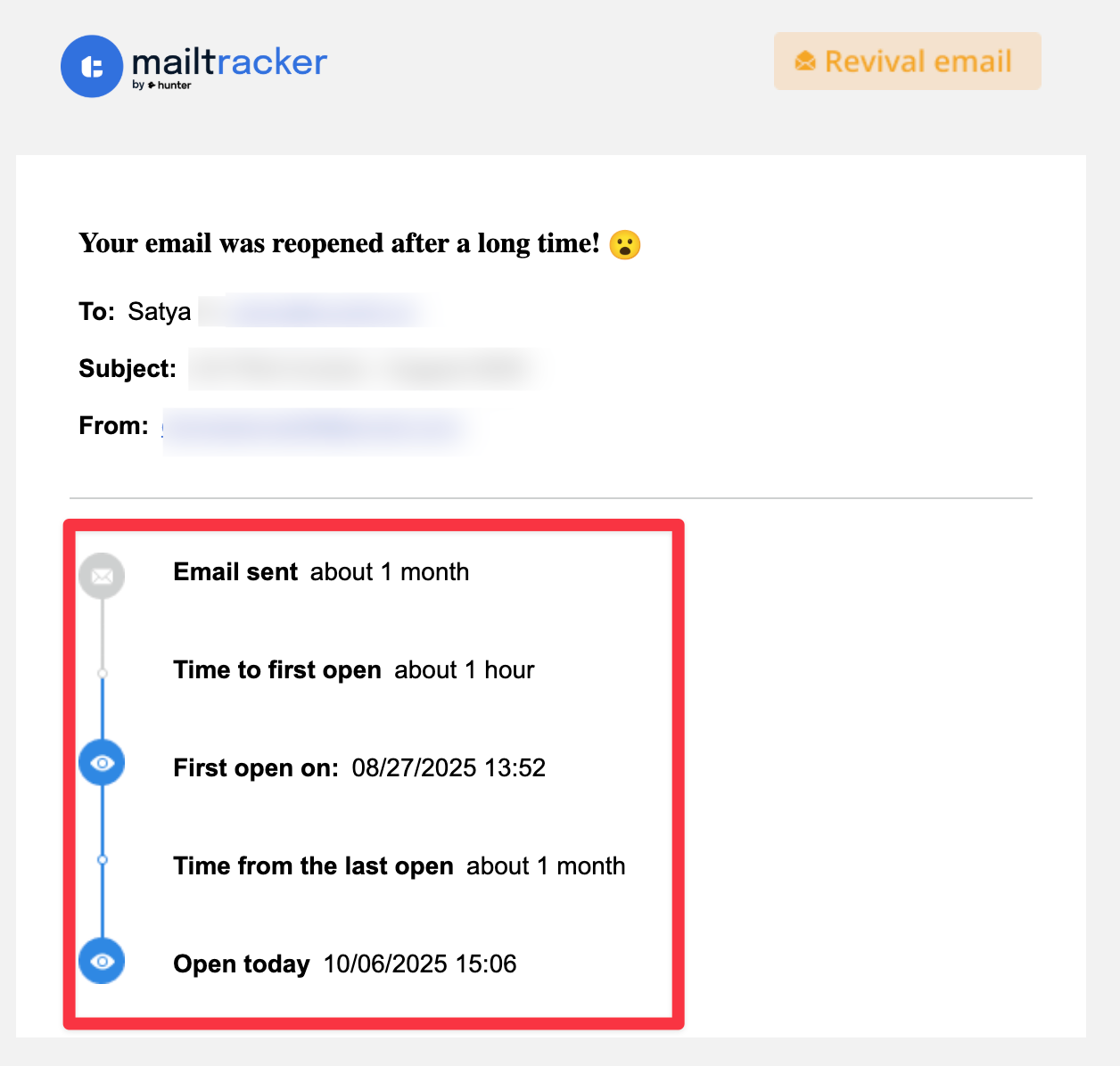
- After a reopen (48 hours later), which often signals renewed interest
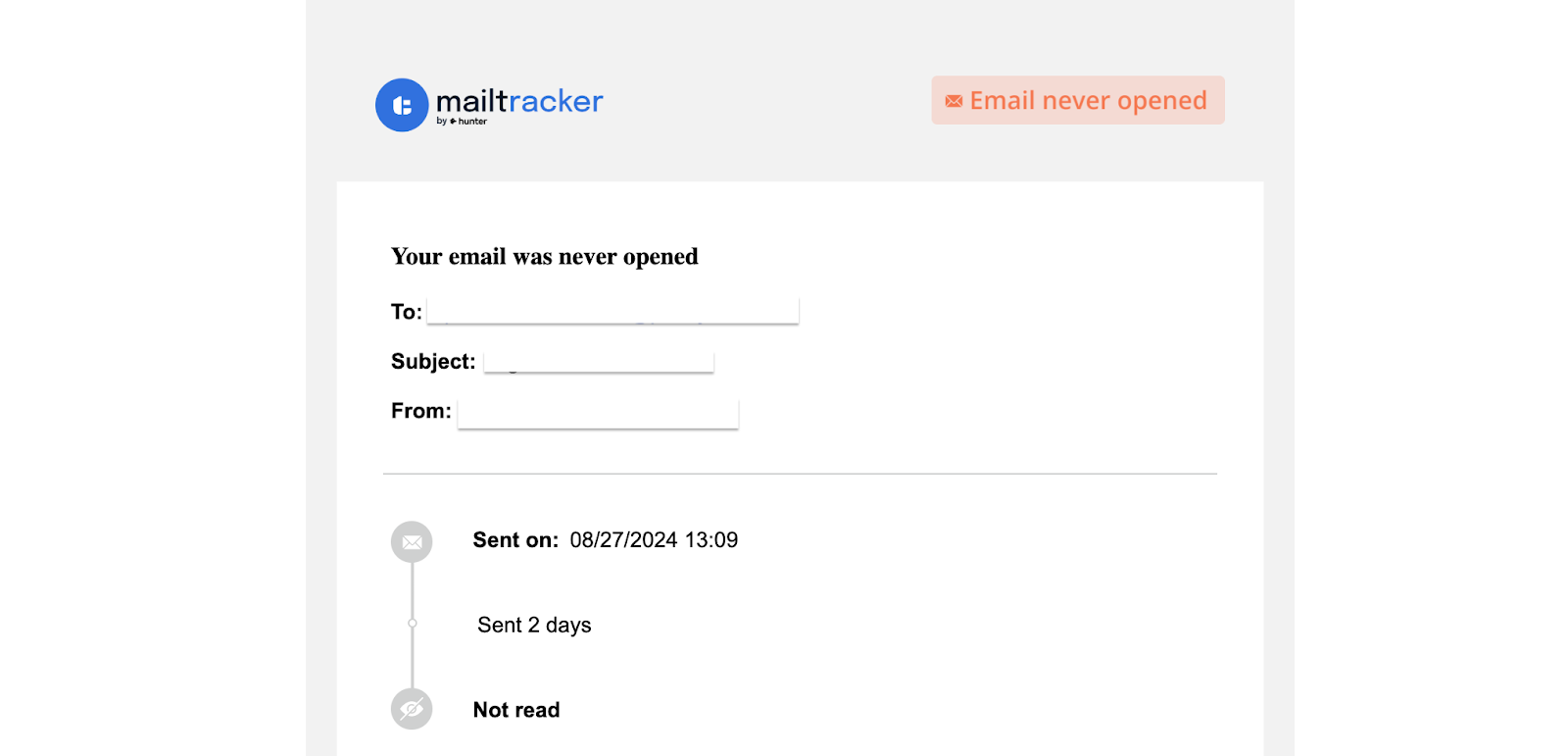
- When an email isn’t opened after 48 hours (just like the image below) so you can try a new subject line or approach
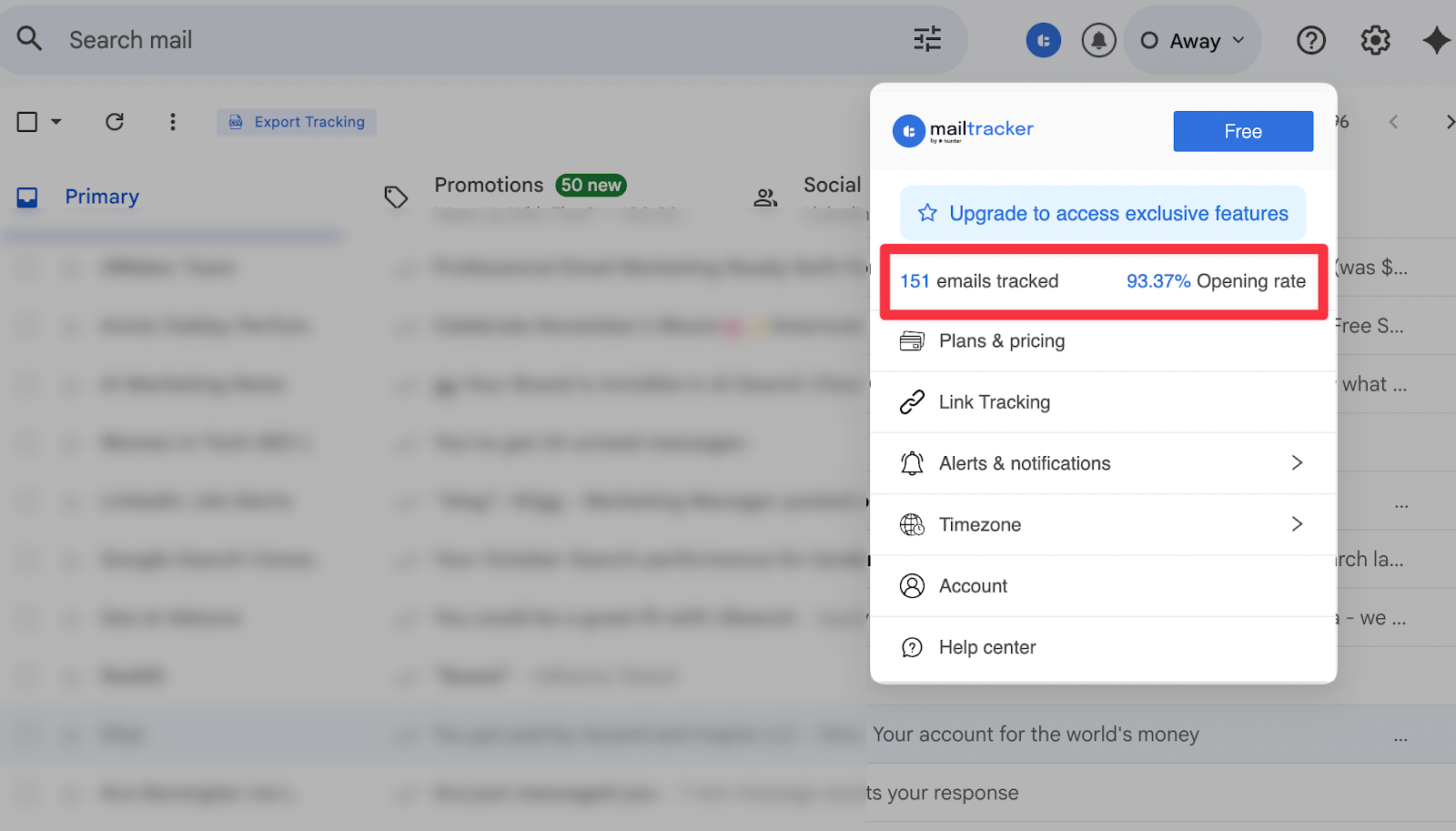
3. Open rate analytics: You can track how often your emails are opened overall, so you understand if your subject lines and messaging encourage engagement.
4. Link click tracking: You get notified when a recipient clicks a link in your email, which helps you understand interest even if they haven’t replied yet.

5. Activity feed and simple dashboard: With Mailtracker, you can view all tracked email activity and open rate in one place, making it easier to manage multiple follow-ups without losing track.
Cons
- No mobile app
Tarification
- Free plan available (track 20 emails/month)
- Paid plans unlock advanced features
2. MailSuite
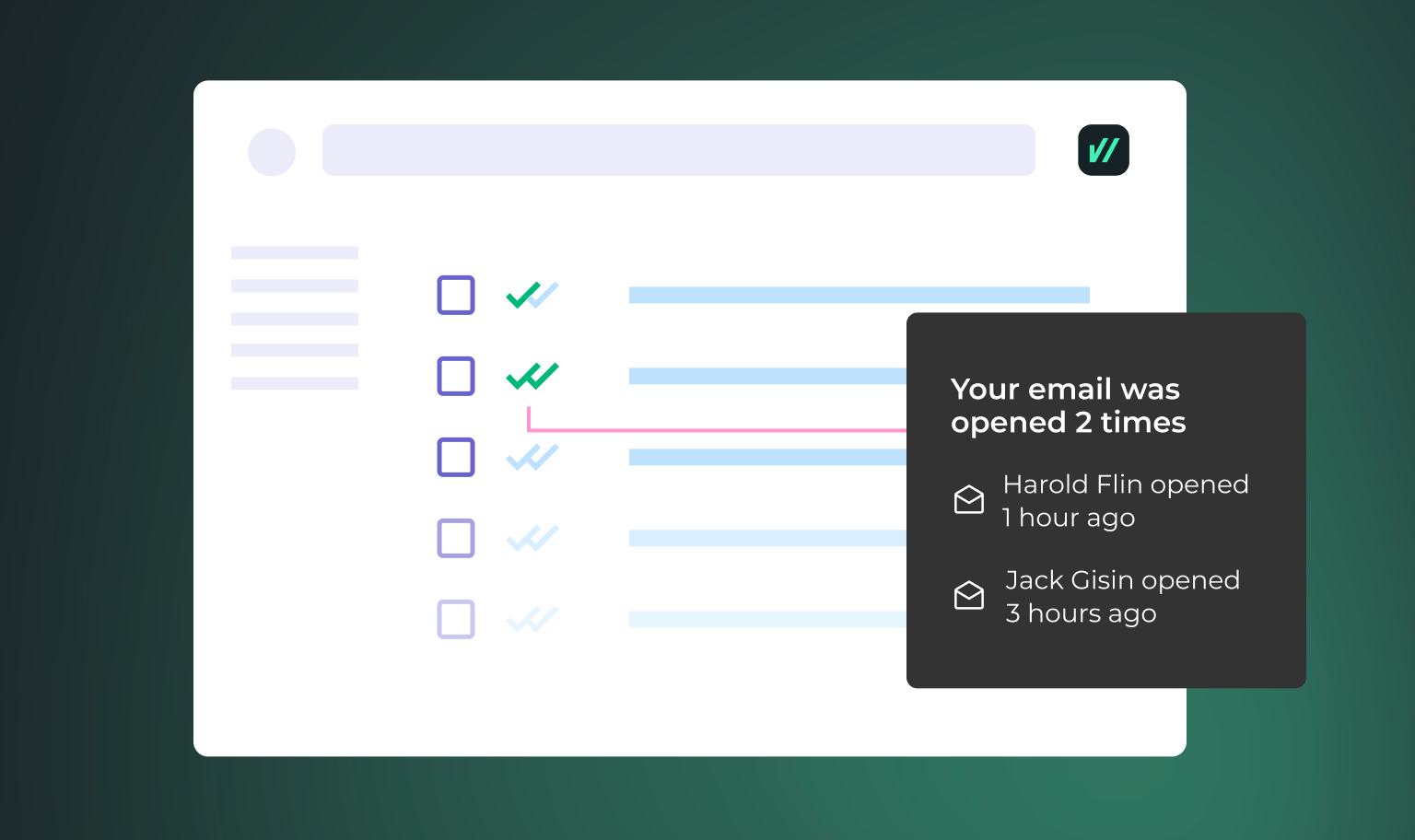
MailSuite is a Gmail extension that focuses on email open tracking and basic follow-up notifications.
It’s often used by people who want a simple signal to know whether an email was opened before deciding to follow up.
MailSuite works directly inside Gmail and adds tracking to individual emails. One thing to note is that the free plan adds a visible signature to outgoing emails, letting recipients know the message is being tracked.
This is different from tools like MailTracker, which keep emails unbranded on the free plan.
Caractéristiques principales
- Email open tracking: You can see when a recipient opens your email, helping you confirm that your message reached their inbox and was viewed.
- Real-time open notifications: You get notified as soon as an email is opened, so you can decide when to follow up while the message is still fresh.
- Gmail integration: You can use MailSuite directly inside Gmail without changing how you send emails or manage conversations.
- Simple inbox-based tracking: The tool tracks email activity within your inbox, making it easy to see which messages were opened and which may need a follow-up.
Cons
- Adds a signature on the free plan
- Limited analytics and reporting
Tarification
- Free plan available
- Paid plans remove branding
3. Snov

Snov.io is a Gmail-compatible sales outreach platform built for teams that need structured, automated follow-ups rather than manual reminders.
It’s commonly used by sales teams and recruiters who manage many conversations at once and want follow-ups to happen automatically.
Snov.io helps teams follow-up at scale by combining email tracking with automation.
Follow-ups can be triggered by recipient actions, such as opening an email or clicking a link, which removes the need to monitor each conversation manually.
Caractéristiques principales
- Automated email follow-up sequences: Snov.io creates multi-step follow-up sequences that send automatically based on time delays or recipient behavior, such as opens or clicks.
- Email open and click tracking: You can track when emails are opened and links are clicked, so follow-ups are based on real engagement instead of fixed schedules.
- CRM-style lead management: The tool lets you organize contacts, track conversation status, and manage follow-ups across multiple prospects in one place.
- Gmail integration: You can connect Gmail to send emails and manage follow-ups without switching between tools.
Cons
- More complex setup
Tarification
- Free trial available
- Paid plans start from $39/month
4. Right Inbox
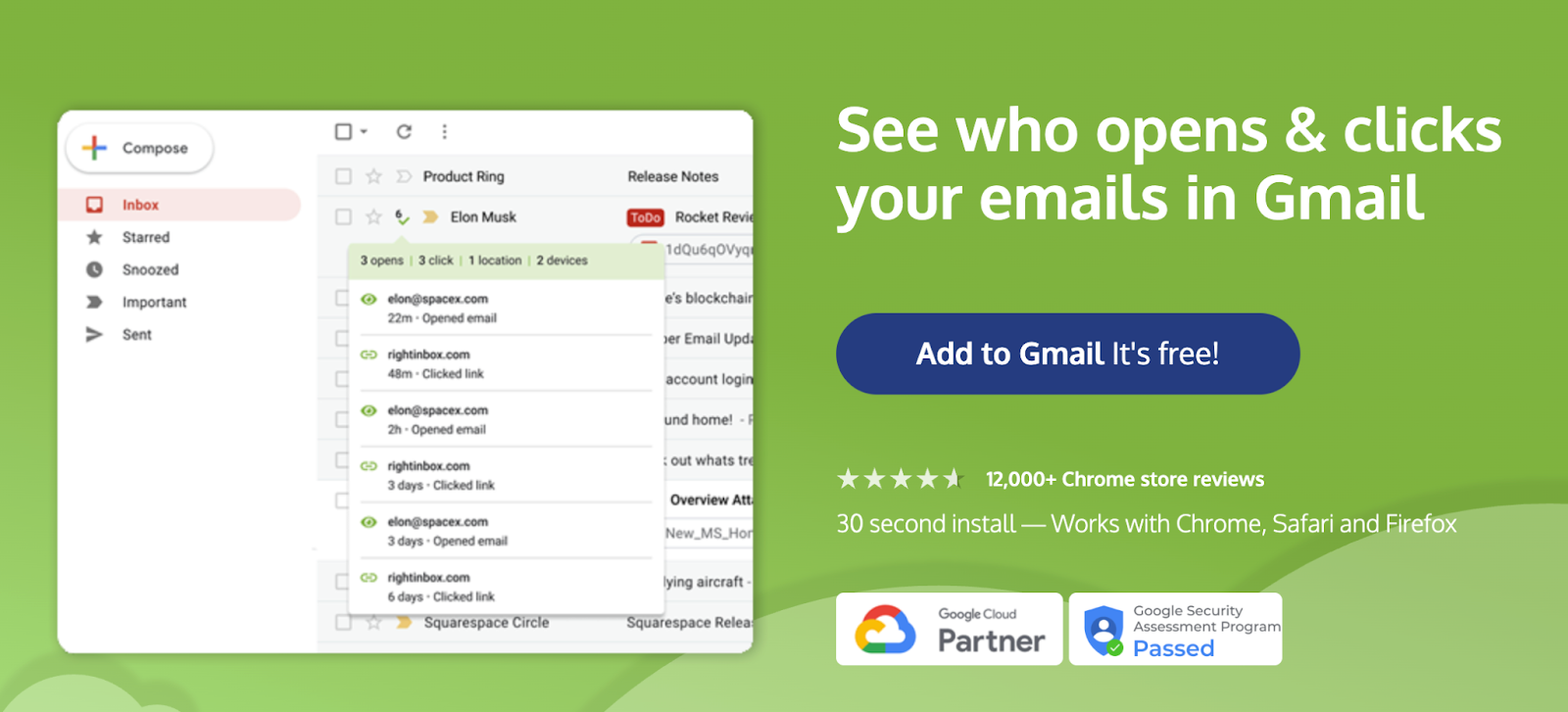
Right Inbox is a Gmail productivity tool designed to help you remember important emails and follow up on time.
It’s useful when your main challenge isn’t tracking engagement, but making sure emails don’t get lost or forgotten in a busy inbox.
Right Inbox focuses on time-based follow-ups. Instead of reacting to opens or clicks, it reminds you to follow up after a set period, which works well for routine check-ins and ongoing conversations.
Caractéristiques principales
- Follow-up reminders: Right Inbox sets reminders to bring an email back to your inbox if no reply is received, helping you stay consistent with follow-ups.
- Email scheduling: You can schedule emails to be sent later, which is useful when following up across time zones or planning outreach in advance.
- Recurring emails: You can send recurring messages on a set schedule, such as weekly or monthly check-ins, without rewriting the email each time.
- Basic tracking: With Right Inbox you have access to simple indicators that help you see whether emails were sent and managed as planned, without detailed engagement analytics.
Cons
- Limited analytics
- No engagement-based triggers
Tarification
- Free plan available
- Paid plans start around $9.95/month
5. FollowUpThen
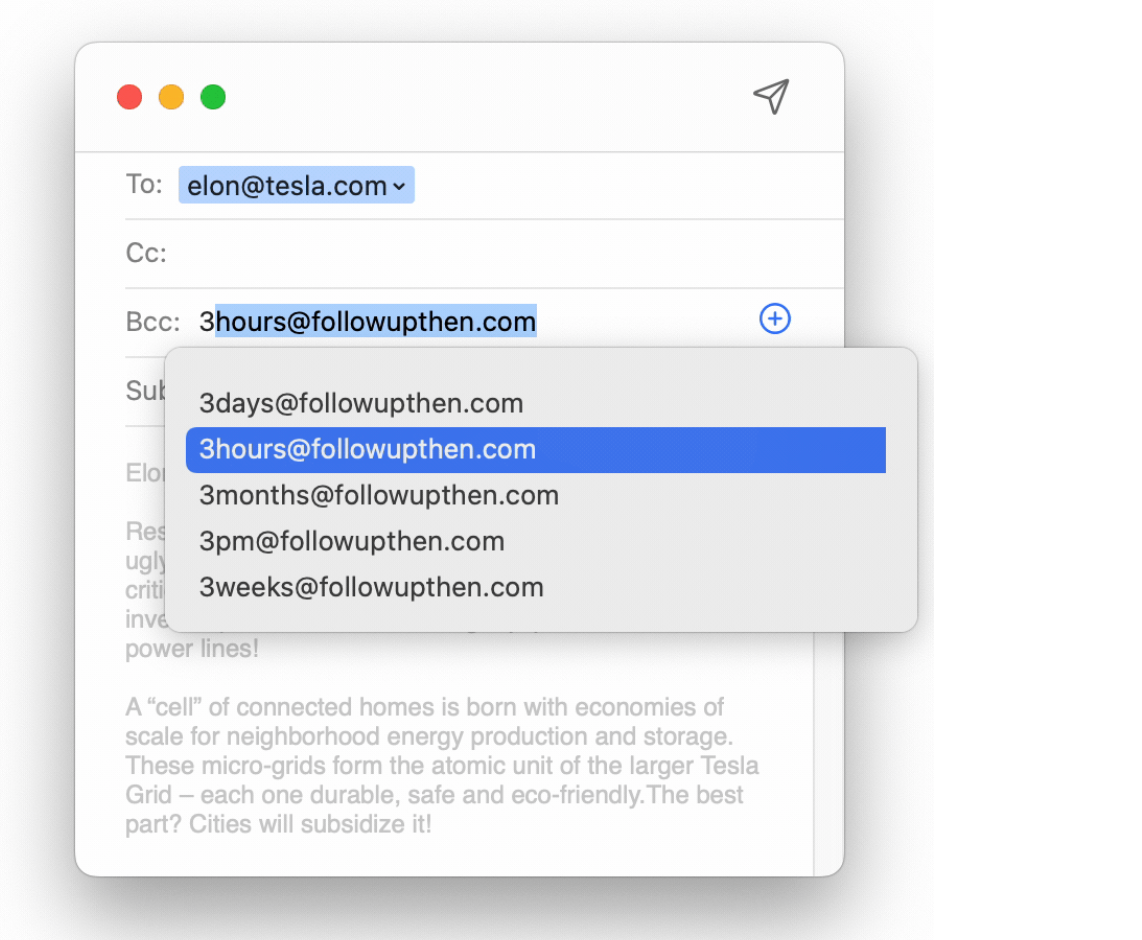
FollowUpThen is a minimalist follow-up tool that works through email reminders, not inbox tracking or automation.
You follow up by simply CC’ing FollowUpThen on an email, and it reminds you at a later time.
This approach works well if you want a very lightweight way to remember follow-ups without installing a browser extension or tracking email engagement.
It’s often used for personal reminders and simple check-ins rather than performance-based follow-ups.
Caractéristiques principales
- Email-based follow-up reminders: You can set reminders by CC’ing FollowUpThen on an email and choosing when you want to be reminded to follow up.
- No browser extension required: FollowUpThen works without installing anything in Gmail or your browser.
- Works with Gmail and other email providers: Because it runs through email commands, it can be used with Gmail and other email services.
Cons
- No email tracking
Tarification
- Free plan available
- Paid plans start around $4/month
Start Managing Your Email Follow-Ups With MailTracker
MailTracker helps you decide when to follow up by showing how recipients interact with your emails after you send them.
With MailTracker, you can:
- See when an email is opened
- Get notified when an email is reopened, often a sign of renewed interest
- Know when an email hasn’t been opened after 48 hours
- Track link clicks to understand engagement
- Time your follow-ups based on actual email activity

