


I tested Mailsuite for a few weeks alongside a lot of other tracking tools. Most didn't make this list.
These 3 did (MailTracker, Snov and Boomerang) because none of them add a signature on the free plan, which was the starting criteria.
What's different between them is how they notify you, where the data lives, and what they do beyond tracking.
What I Found When Testing Mailsuite
I tested Mailsuite for a few weeks to understand how it compares to other tracking tools. Here's what I actually observed.
The signature on every email
This is the first thing you notice. Every email sent on the free plan includes "Sent with Mailsuite · Unsubscribe" appended at the bottom automatically.

You can remove it manually before each send, but that means remembering to do it every single time. For professional outreach or client emails, that's not a small thing (recipients can see it).
The external dashboard
Mailsuite is more than just an email tracker. The screenshot below shows what I mean: the sidebar includes Email Tracking, Click Reports, Campaigns, Email Productivity, Templates, and many other features.
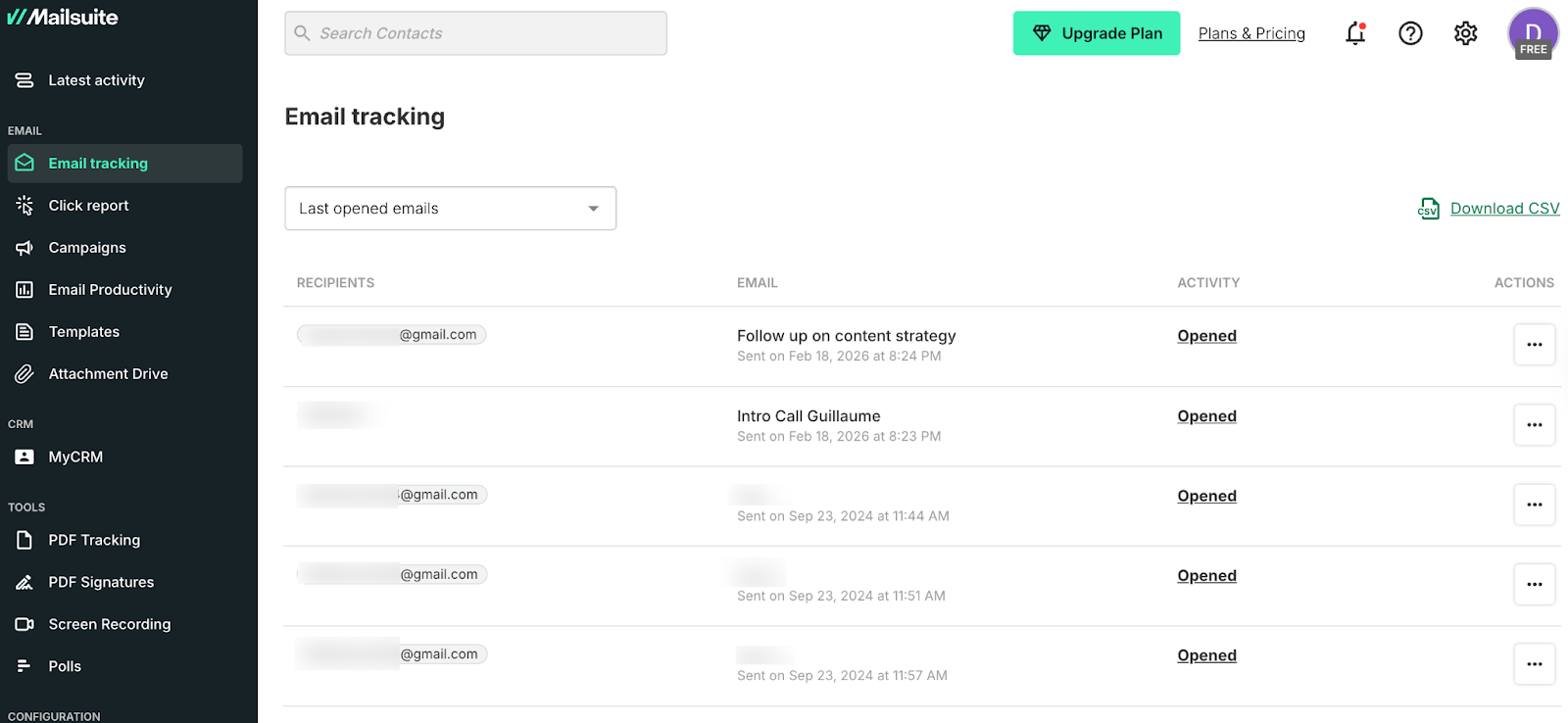
For some workflows, that's genuinely useful. But if you're using it mainly to know when someone opened your email, navigating an external dashboard with that many features can feel like too much.
Unlike tools that live inside Gmail as a small icon, Mailsuite pulls you out of your inbox to see your tracking data.
Notification timing
This is the one that affects email strategy based on opens and clicks the most. Mailsuite sends you a daily summary report (2 emails sent, 100% read, 0% clicked) rather than real-time notifications.

The screenshot above shows exactly what that looks like. If someone opens your email at 2 PM and you get a daily digest at 7 AM the next morning, that open signal is already 17 hours old.
For timing a follow-up based on when someone actually engaged, that delay matters. For example, MailTracker sends an email the moment an email is opened and again every time it's reopened.
What Mailsuite does well
Unlimited free tracking. No monthly cap, no warnings, no hitting a limit mid-campaign. That's genuinely hard to find and it's the main reason people use it.
If volume matters more than timing precision or signature-free emails, Mailsuite's free plan is one of the strongest on the market.
How I Evaluated These Alternatives
I tested more than these three, but these are the ones that cleared the bar. I personally tested these tools myself. I installed them, connected them to Gmail, and used them for testing and personal emails.
Some for a few days, others for longer, depending on how much there was to test. Here's what I was looking for:
No signature on the free plan. That was the starting point. Every tool on this list was chosen specifically because it doesn't append branding to your emails on the free plan, unlike Mailsuite.
Where the tracking data lives. Does it live inside Gmail, or does it push you to an external dashboard? For someone using email tracking as part of their daily workflow, that distinction matters.
Notification speed. Daily summaries vs real-time notifications. Given that the whole point of email tracking is to inform your follow-up strategy, how fast you get the signal changes how useful the tool actually is.
Auto-tracking vs manual activation. Some tracking tools track every email automatically. Others require you to click a button before each send. I tested both and noted where the friction showed up in practice.
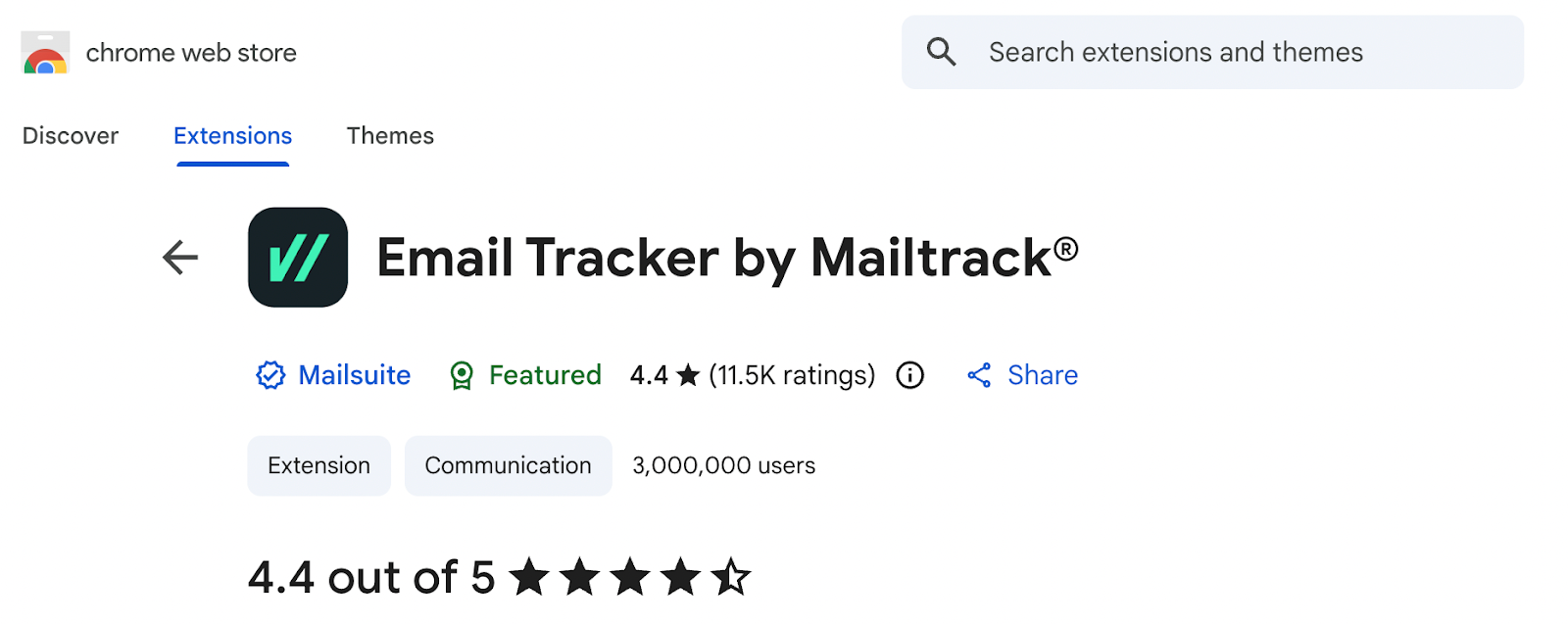
Chrome Web Store and G2 reviews. I checked ratings and read through actual user feedback for each tool. A few alternatives on this list have stronger Chrome Store ratings than Mailsuite's 4.4/5, worth knowing before you switch.
Ease of install. Most took under 5 minutes. One redirected me to an external dashboard before I could do anything. I noted the difference.
TL;DR: 3 Best MailSuite Alternatives
1. MailTracker: For clean, real-time tracking without signatures
MailTracker is rated 4.7/5 on the Chrome Web Store with over 4,900 reviews.
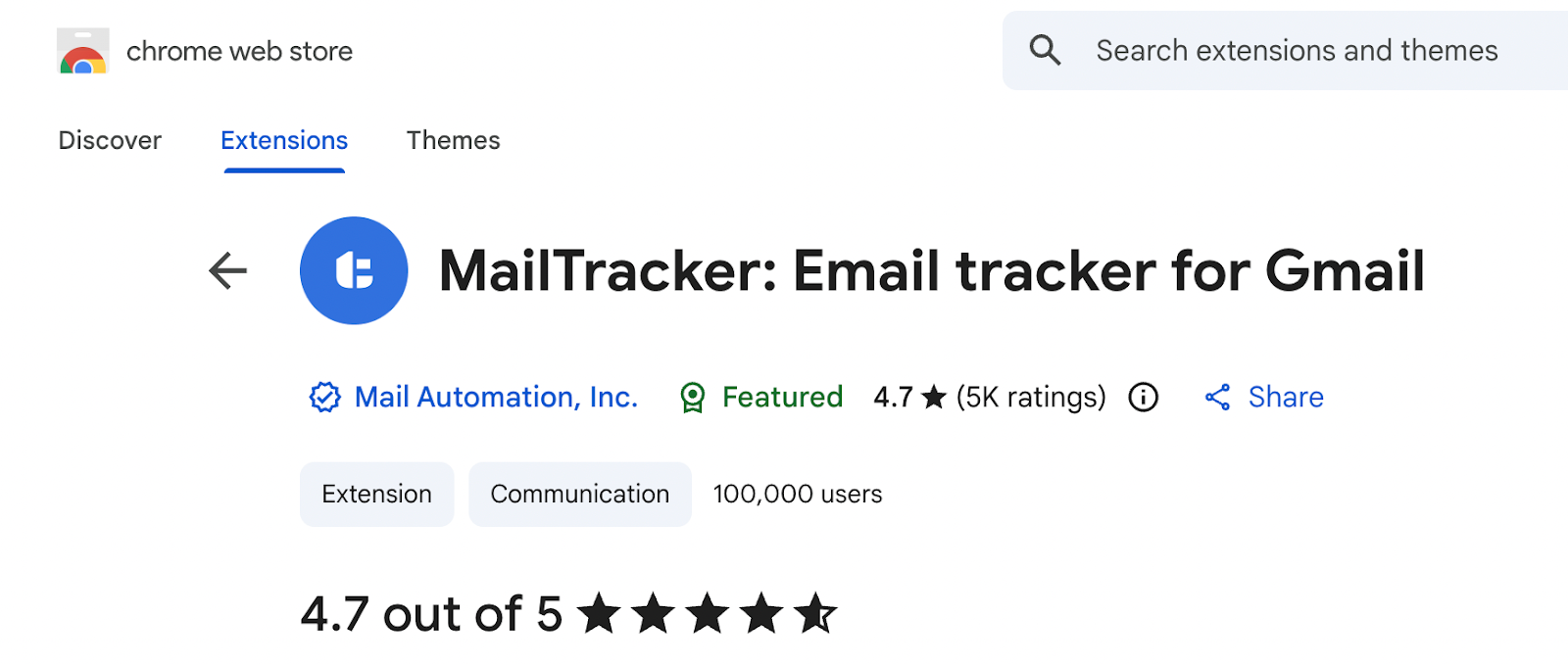
Where the difference shows up with Mailsuite in practice is in two things: no signature on any plan, and real-time notifications instead of daily summaries.
With Mailsuite, you get a daily report. With MailTracker, the moment someone opens your email in Gmail, you get an email in your Gmail saying: your email has been opened for the first time, and at what time and date, just like shown below:
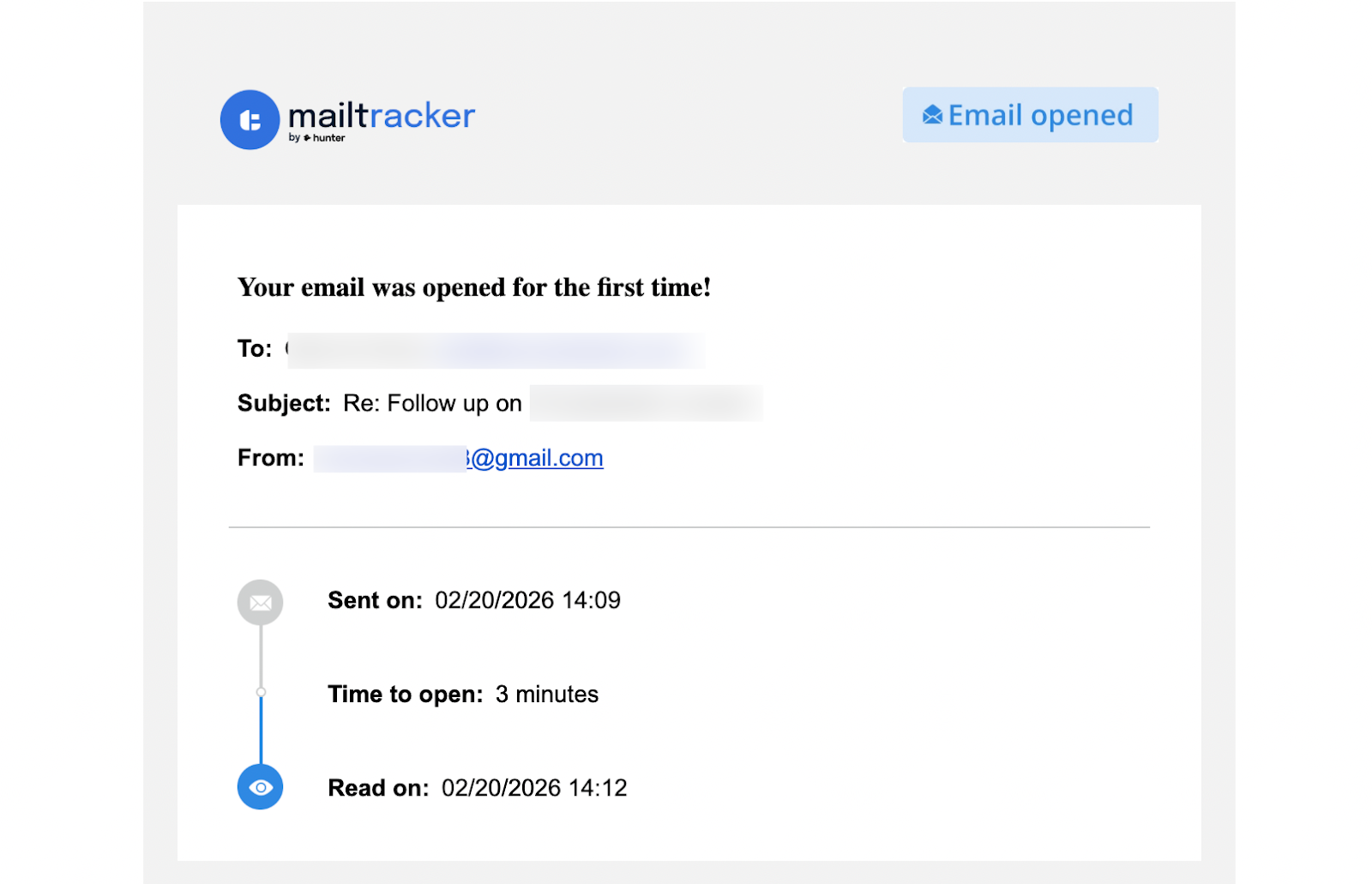
And it doesn't stop at the first open, but every reopen triggers a new notification. The screenshot below shows exactly what that looks like in Gmail for a reopened email:
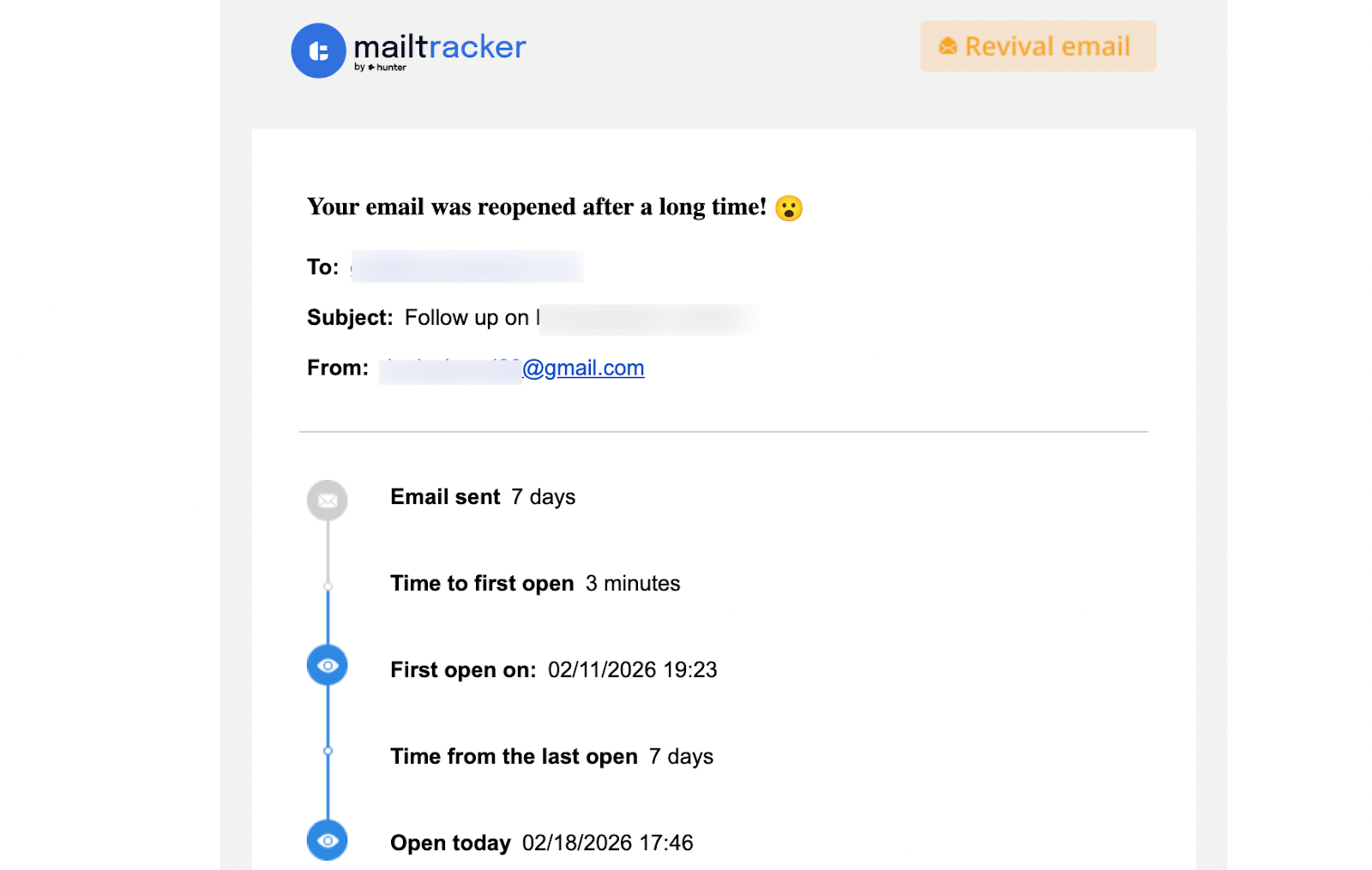
Both emails appear in real time. No external dashboard, no separate platform. Just a small icon inside Gmail that tells you what's happening the moment it happens.
That reopen signal is what changes follow-up decisions in practice. One open could be a quick glance. Three reopens over 48 hours means someone is coming back to your email, sharing it, or thinking about it seriously. That's the kind of behavioral signal that a daily summary can't give you.
What sets MailTracker apart from Mailsuite is that MailTracker has no signature on the free plan or any plan. This is the clearest difference from Mailsuite. Your emails look exactly the same as they always did. Recipients have no way of knowing you're tracking.
MailTracker also lets you track link clicks inside emails, send read receipts, and set follow-up reminders for emails that haven't been opened. All of these work directly inside Gmail — no setup, no switching tabs.
Key Features:
- No signature on free plan or any paid plan
- Automatic tracking (no manual activation needed)
- Link click tracking inside emails
- Follow-up reminders for unopened emails
- Lives inside Gmail (no external dashboard)
Pricing: Free plan includes 20 tracked emails per month. Paid plans start at $29/month for unlimited tracking.
Limitation compared to Mailsuite: The one area where Mailsuite has an edge is volume. Mailsuite's free plan is unlimited. MailTracker's free plan covers 20 emails per month, which is enough for freelancers, consultants, and anyone sending important individual emails rather than bulk campaigns.
If you need to track more than 20 emails per month, the paid plan starts at $29/month with a 7-day free trial so you can test it before committing.
2. Snov.io: For cold outreach where you need email finding and tracking together
Snov.io is rated 4.9/5 on the Chrome Web Store with over 6,100 reviews. I tested it for a 20-person outreach campaign and the tracking worked. The screenshot above shows the dashboard: 7 emails sent, 86% open rate, 0% clicked. Clean UX, easy to read.
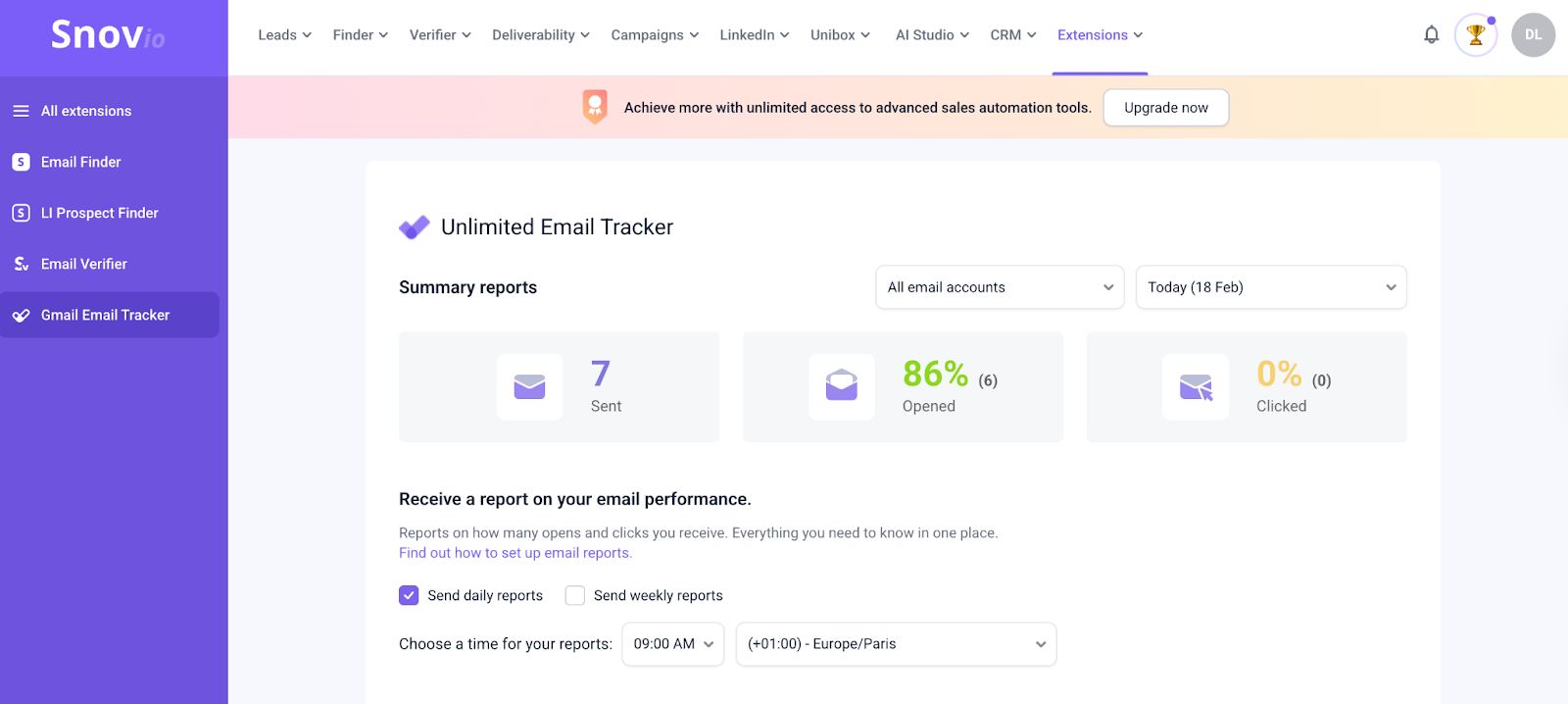
The key difference from Mailsuite is that Snov is not primarily an email tracking tool. It's a full sales automation platform: Leads, Finder, Verifier, Deliverability, Campaigns, LinkedIn outreach, CRM and AI Studio. Email tracking is one feature inside a much bigger product.
If you're doing cold outreach and need to find emails, verify them, and track them in one place, that's exactly where Snov earns its place. If you just want to know when someone opened your email, it's more tool than you need.
No signature on any plan, that's a clear improvement over Mailsuite's free tier.
The friction point is installation. Snov redirects you to an external dashboard before you can do anything. There are more manual steps involved before your first tracked email goes out, connecting accounts, understanding how credits work, and navigating the platform.
And when I decided to uninstall, Snov asked me to type out my reason manually instead of offering a quick dropdown like every other tool. Small detail, but it reflects the overall experience.
The 50 free credits per month are shared across finding emails, verifying them, and tracking sends. If you're using the email finder heavily alongside tracking, those credits go fast.
Key Features:
- Email tracking with open and click notifications
- No signature on free plan
- Email finder and verification
- Drip campaigns with automated follow-ups
- Full sales platform with CRM and LinkedIn outreach
- External dashboard with clean UX
Pricing: Free plan includes 50 credits per month. Paid plans start at $39/month, significantly more expensive than Mailsuite's €9.99/month paid plan and MailTracker's $29/month. Worth it if you need the full prospecting suite, harder to justify if tracking is all you need.
Limitation compared to Mailsuite: Mailsuite's free plan is unlimited with no credit system. Snov's 50 free credits disappear quickly if you're using the email finder alongside tracking. And the setup friction is real. This is not a tool you install and use in 2 minutes. Plan for more time upfront.
3. Boomerang: Best for scheduling emails with basic tracking
Boomerang is rated 4.2/5 on the Chrome Web Store with over 2,100 reviews.
No signature on any plan, that's a clear improvement over Mailsuite. Here’s what it looks like when you compose an email with Boomerang:

Installation is straightforward, under 5 minutes. Where the friction starts is tracking. Unlike MailTracker, which tracks automatically, Boomerang requires you to manually click the "Track" button in the compose window before every send. If you forget (and the UI doesn't make it obvious), that email goes out untracked with no way to recover it. I did this more than once during testing.
When tracking does work, the notification you receive looks like the screenshot above, an email from Boomerang landing in your inbox with "Your tracked message was recently opened."
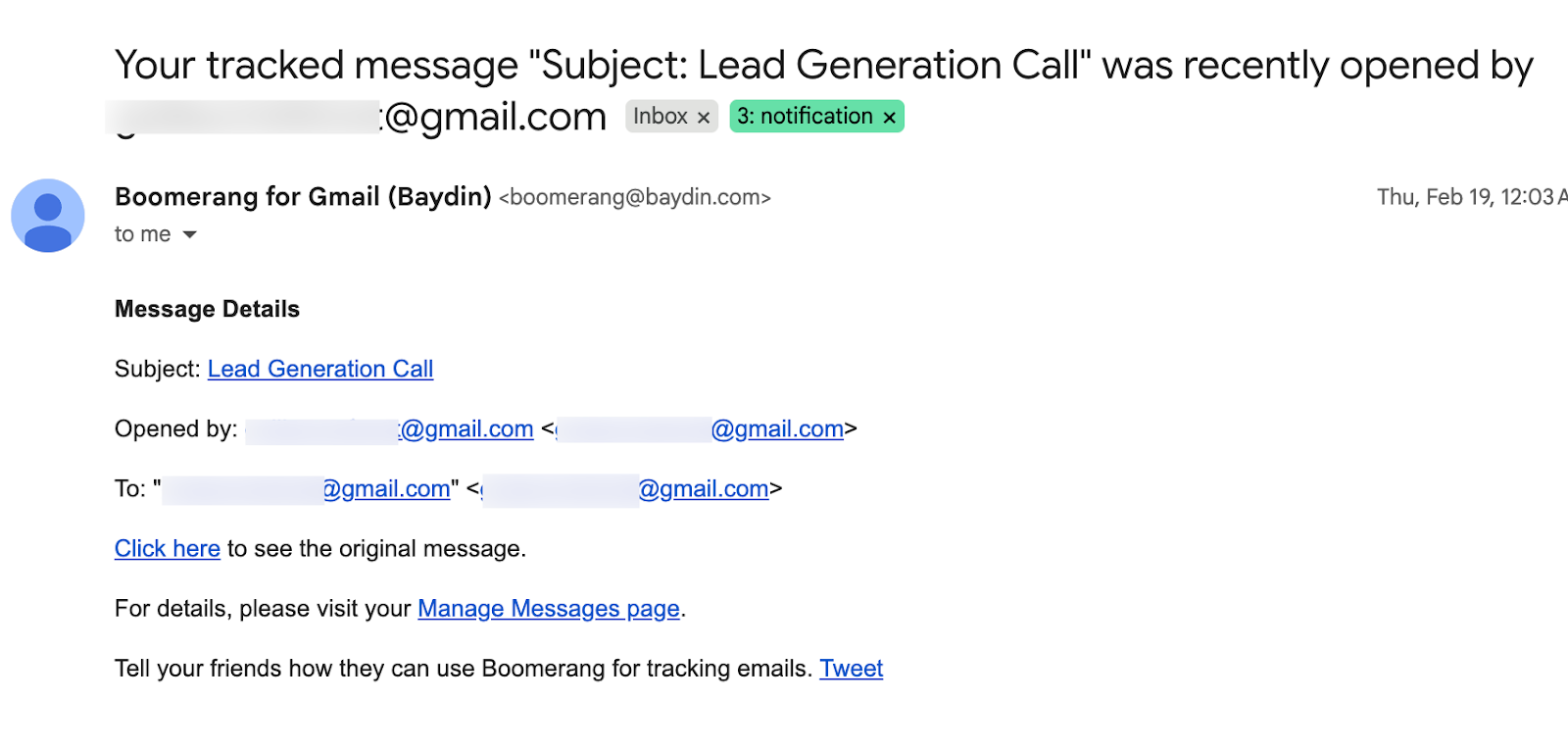
It gets the information across, but the format is a wall of text with a "Tell your friends" line and a Tweet button at the bottom.
The external dashboard shows your tracked messages (subject line, recipient, sent time), but the UX is sparse and dated. Three tracked messages in my test, each requiring that manual step to get there.
Where Boomerang genuinely earns its place is in scheduling. Write an email at 11 PM, set it to land at 9 AM their time. The Send Later button works reliably, the reminder feature is useful, and it's the only tool on this list that works on both Gmail and Outlook.
Key Features:
- Email scheduling across time zones
- Email tracking (manual activation required per email)
- No signature on any plan
- Follow-up reminders
- AI writing assistant for tone checking
- Works on Gmail and Outlook
Pricing: Free plan includes 10 tracked emails per month. Paid plans start at $4.98/month — the most affordable paid plan on this list and significantly cheaper than Mailsuite's €9.99/month. If budget is the main driver and you need basic scheduling plus light tracking, the price is hard to argue with.
Limitation compared to Mailsuite: Mailsuite's free plan is unlimited and auto-tracks every email. Boomerang gives you 10 tracked emails per month, with manual activation required each time. The notification arrives as an email in your inbox rather than a real-time Chrome alert. For timing follow-ups based on email behavior, that difference matters.
Which Mailsuite Alternative Should You Use?
It depends on one question: what frustrated you about Mailsuite in the first place?
If the signature was the main issue and you send mostly individual, professional emails (proposals, pitches, follow-ups) MailTracker is the straightforward switch. No signature on any plan, automatic tracking, real-time notification the moment someone opens or reopens your email. The 20 email free limit is the only trade-off.
If you need volume without a signature: Mailsuite gives you unlimited free tracking but adds a signature. MailTracker removes the signature entirely on the free plan you get 20 emails, and if you need more the paid plan starts at $29/month. Snov.io is the other option here if you're also doing prospecting, but the credits go fast.
If you're doing cold outreach and need to find emails before you track them: Snov.io handles both in one place. Just budget extra time for setup and know that the 50 free credits go fast if you're using the finder alongside tracking.
If scheduling matters as much as tracking: Boomerang covers that at $4.98/month. Remember to click Track before every send or the email goes out untracked.
If unlimited free tracking is non-negotiable: Mailsuite is still the best option for that specific use case. None of the alternatives on this list matches it in volume at zero cost. The signature and daily summary are the trade-off you accept.
FAQs about Mailsuite
Does switching from Mailsuite to MailTracker affect my existing tracked emails?
No. Your existing Gmail emails stay exactly as they are. When you install MailTracker, it starts tracking from the first email you send after installation. Nothing from before gets affected or lost.
If I uninstall Mailsuite, will the signature disappear from emails I already sent?
No, emails already sent with the "Sent with Mailsuite" signature will keep it. You can't edit emails after they've been delivered. The signature stops appearing on new emails the moment you stop using Mailsuite on the free plan or switch tools.
Can I use MailTracker and Mailsuite at the same time?
Technically, yes, but it creates conflicts. You may get duplicate tracking signals or inconsistent open data. Pick one and uninstall the other for clean results.
Is the Mailsuite free plan really unlimited?
Yes, no monthly cap on tracked emails. The trade-off is the signature on every email and daily summary notifications instead of real-time alerts. If volume matters more than timing or presentation, it's genuinely hard to beat on the free tier.
Which Mailsuite alternative is best if I only send a few important emails per month?
MailTracker. 20 tracked emails per month covers most freelancers and consultants, tracking is automatic, there's no signature on any plan, and you get a real-time notification the moment someone opens or reopens your email.

