


In most cases, no. When you track an email with a standard tracking pixel, nothing visible changes in the message. The recipient sees no label, no notification, and nothing different about the email itself.
There are a few exceptions worth knowing about, and they mostly come down to which tool you use and whether it adds branding to your outgoing messages.
How Email Tracking Works and Why Recipients Usually Cannot Tell
Email tracking works through an invisible 1x1 pixel image embedded in the body of your email. When the recipient opens the message, their email client loads that pixel from a remote server. That request is what sends the open signal back to you.
It behaves exactly like any other image that loads inside an email. From the recipient’s perspective, nothing unusual has happened.
The only way a recipient could technically detect a tracking pixel is by inspecting the raw HTML source of the email, which is something almost no one does in a normal email exchange.
When Recipients Can Tell: The Signature Problem
The situation changes when the tracking tool you use adds a visible signature to your outgoing emails.
Most free email trackers add a “sent with” line at the bottom of every message. Mailsuite (formerly Mailtrack), for example, adds “Sent with Mailsuite · Unsubscribe” to every email on the free plan. That line is visible to the recipient and makes it immediately obvious that you are using a tracking tool.
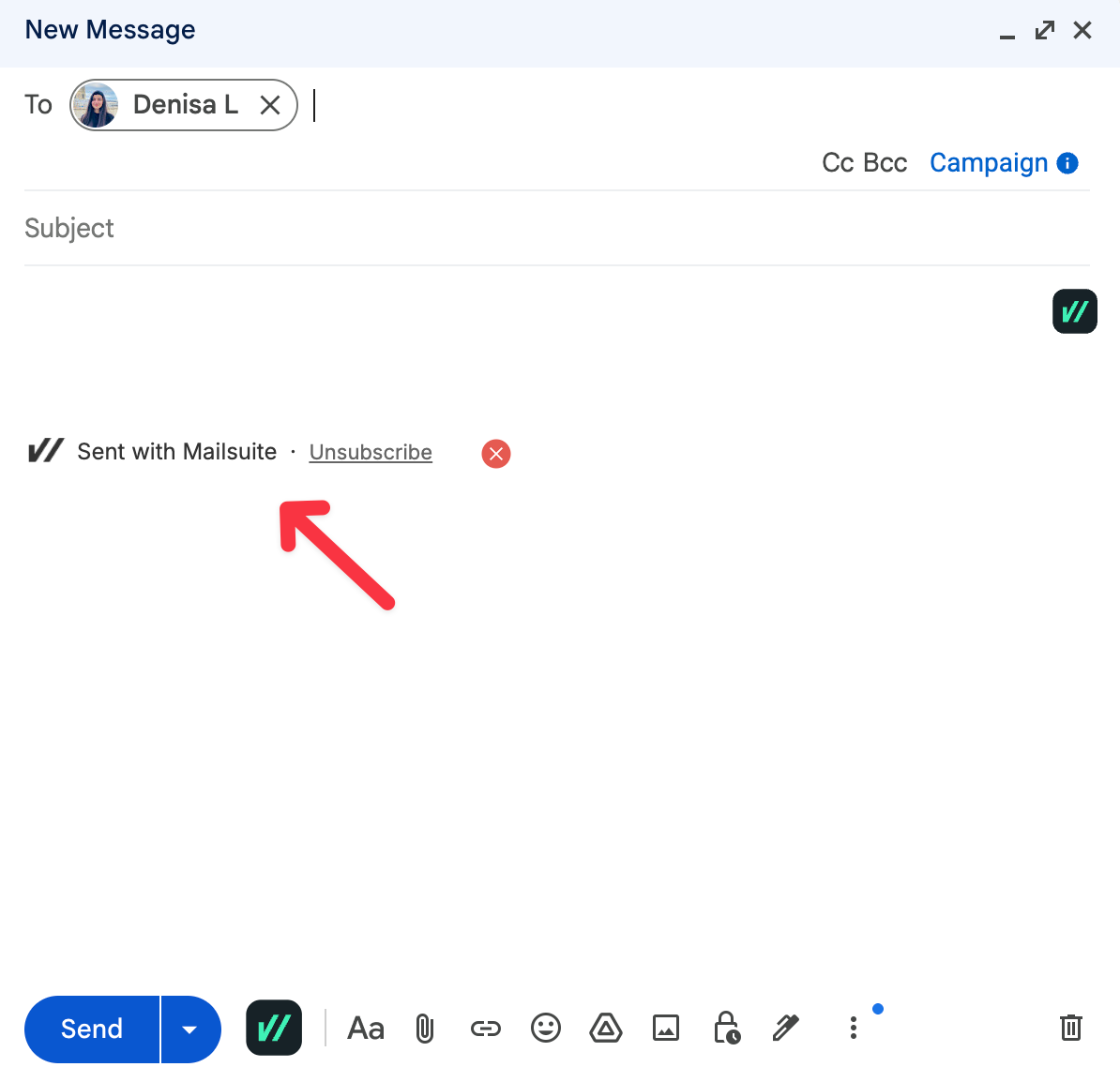
For professional outreach, this is a real problem. Sending a proposal, a job application follow-up, or a client email with a tracking signature at the bottom changes how the message is perceived. It signals that you are monitoring their behaviour, which is not the impression most people want to make.
MailTracker does not add any signature or branding to your emails on the free plan. The message the recipient receives looks exactly as you wrote it, with nothing appended.
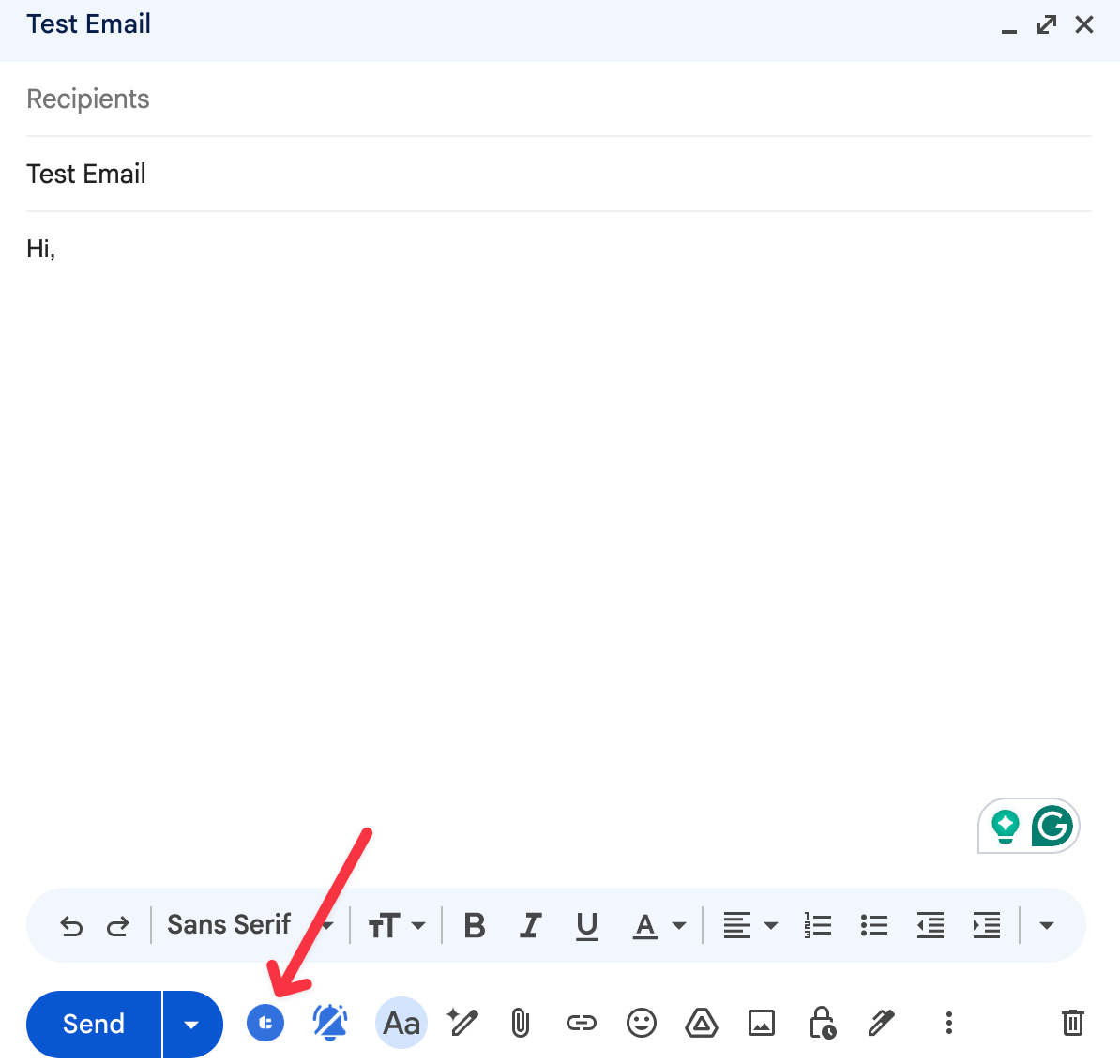
If you are sending professional emails, this is worth paying attention to when choosing a tool. We put together a full comparison of which free trackers add branding and which do not:free email trackers without a signature
If you are looking for the simplest way to start tracking emails in Gmail without a CRM:how to track emails in Gmail without a CRM
What About Gmail Read Receipts?
Gmail’s native read receipts work very differently from tracking pixels. When you request a read receipt in Gmail, the recipient sees a prompt asking them to confirm they have read the message. They can accept or decline. In practice, most people ignore it or decline.
This means read receipts are transparent by design but unreliable in practice. Tracking pixels t give you far more data without requiring any action from the recipient.
If you want to know more about how the two compare: Gmail read receipts vs email tracking
Can Apple Mail Detect Tracking Pixels?
Apple Mail does not detect tracking pixels in the traditional sense, but it does interfere with them.
Since iOS 15 and macOS Monterey, Apple Mail’s Privacy Protection feature pre-fetches images before the user opens the email. This means the tracking pixel loads automatically, regardless of whether the person has actually read the message. From your end, it looks like the email was opened, even if it was not.
This does not mean the recipient knows they are being tracked. It means the tracking signal may be inaccurate for Apple Mail users. The recipient sees no notification, no warning, and nothing different about the email. Apple Mail is simply loading images in the background as a privacy measure for its users.
Can Email Clients Block Tracking Entirely?
Yes. Some email clients and corporate environments block external images by default. When this happens, the tracking pixel never loads and the open goes unrecorded.
Recipients using these settings can effectively prevent tracking without knowing a specific email contained a pixel. They are not detecting your tracker, they are simply blocking all external images as a general setting.
Common examples include some versions of Outlook, corporate email configurations, and privacy-focused email clients like ProtonMail.
This is why open data should always be treated as a strong directional signal rather than a complete picture. A never-opened email may mean the person has not read it, or it may mean their email client blocked the pixel.
Frequently Asked Questions
Can a recipient tell if I used MailTracker to track their email?
No. MailTracker does not add any visible signature, label, or branding to your outgoing emails. The recipient sees the message exactly as you wrote it. The only way they could theoretically detect tracking is by inspecting the raw HTML of the email, which is not something that happens in normal email exchanges.
What happens if a recipient forwards a tracked email?
If the email is forwarded and the new recipient opens it, the tracking pixel may trigger again and register another open. MailTracker records each open event, so you may see a higher open count than expected if an email is forwarded. Overall, there is no reliable way to distinguish a forward open from a direct open.
Do all free email trackers add a signature?
Most do. Mailsuite (formerly Mailtrack) adds “Sent with Mailsuite · Unsubscribe” to every free-plan email. MailTracker does not add any branding on the free plan. This is the single most important difference between free tracking options for anyone sending professional one-to-one emails.
Can recipients opt out of being tracked?
Yes, by disabling automatic image loading in their email client. This prevents the tracking pixel from loading and stops the open signal from being sent. Most people do not have this setting enabled, but recipients who are privacy-conscious may have it on. Apple Mail enables a version of this automatically through its Privacy Protection feature.
Is it legal to track emails without telling the recipient?
In the US, yes. The CAN-SPAM Act permits email tracking for commercial emails without requiring explicit disclosure, as long as opt-out mechanisms are included. In the EU, GDPR applies and requires a lawful basis for processing personal data, which for marketing emails typically means explicit consent. For one-to-one professional outreach, the legal picture is more nuanced. MailTracker is fully GDPR-compliant. More on the legal side: is email tracking safe
What is the difference between a tracking pixel and a read receipt?
A tracking pixel is invisible and automatic. It triggers when the recipient’s email client loads the image, requiring no action from the recipient. A read receipt asks the recipient to actively confirm they have read the message, and most people decline. Tracking pixels give you more data with less friction, but they operate without the recipient’s explicit acknowledgment.

