


.png)
Gmail does not show whether someone opened your email by default.
If you’re waiting for a reply, this makes it hard to know whether your message was ignored, missed, or simply not opened.
In this guide, you’ll learn how to see if someone opened your email in Gmail, how email tracking works, and which method is the most reliable.
If you are already familiar with the basics and just want to find the right tool, we have a full comparison of email tracking tools for Gmail and a dedicated guide on how to track emails in Gmail that covers the setup step by step.
TL;DR:
There are three main ways to check if someone opened your email in Gmail:
1. Use an email tracking tool: tracks opens automatically and sends notifications
2. Request a Gmail read receipt: only works for Google Workspace accounts
3. Use a tracking pixel: requires technical setup
Most users rely on email tracking tools because they work automatically and don’t require approval from the recipient.
Why Email Open Tracking Matters
Knowing whether someone opened your email helps you decide what to do next.
If you don’t get a reply, it’s hard to know whether your message was ignored, missed, or never opened.
Email tracking removes that uncertainty by showing when your email is opened and how many times it was viewed.
This is especially useful when:
- deciding when to send a follow-up email
- understanding if your email reached the recipient
- identifying interest based on multiple opens
- improving your response rate over time
For professionals who rely on email communication, this insight makes follow-ups more precise and effective.
For example, if someone opens your email multiple times but doesn’t reply, it often signals interest but hesitation.
How to See If Someone Opened Your Email in Gmail (3 Methods)
There are several ways to check whether someone opened your email in Gmail. However, not all methods are equally reliable.
The most accurate and easiest way is to use an email tracking tool. Other methods, like read receipts or manual tracking pixels, have limitations.
Below are the three main methods, ranked from most to least reliable.
Method 1: Use an Email Tracking Tool (Most Reliable)
The easiest and most reliable way to see if someone opened your email in Gmail is by using one of the best email tracking tools for Gmail.
Email tracking tools automatically detect when your email is opened and notify you in real time. Instead of guessing, you get clear signals about what happens after you send an email.
Most tools work by adding a small tracking pixel to your email. When the recipient opens the message and images load, the pixel sends a signal confirming that the email was viewed.
This method is widely used because:
- it works automatically after setup
- it does not require approval from the recipient
- it shows when and how many times an email was opened
Tools like MailTracker are designed specifically for Gmail users who want to track email opens automatically without relying on read receipts or manual setup.
For example, you can receive a notification when:
- your email is opened for the first time
- the message is reopened later
- tthe email is viewed on different devices
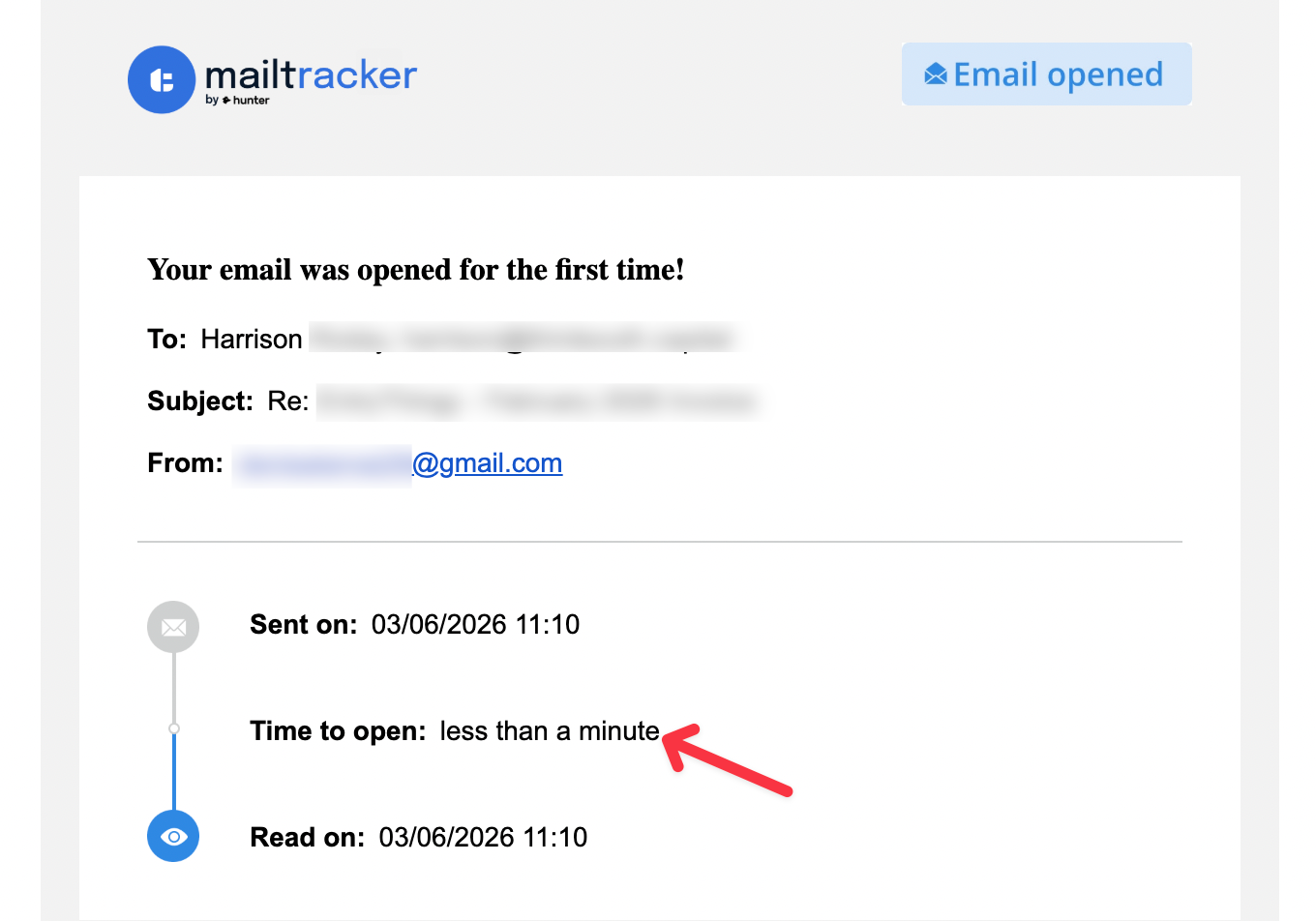
This helps you understand whether your message was seen and decide when to follow up.
If you're comparing different solutions, you can also explore our guide to free email trackers without a signature.
Method 2: Request a Gmail Read Receipt
Another way to check if someone opened your email is by requesting a read receipt.
A read receipt is a confirmation message sent back to the sender when the recipient opens an email. Instead of tracking the email automatically, Gmail asks the recipient to confirm that they have read the message.
However, Gmail read receipts are only available for Google Workspace accounts. This means most personal Gmail users cannot use this feature unless their organization enables it.
Even when read receipts are enabled, the recipient still has the option to approve or decline the request. If they choose not to send the confirmation, you will not receive any notification.
If your organization uses Google Workspace, requesting a read receipt is simple.
- Open Gmail and start composing a new email.
- Click the More options (three dots) in the compose window.
- Select Request read receipt.
- Send the email as usual.
If the recipient agrees to send the receipt, Gmail will notify you that the email was opened.
If you want a more detailed explanation of how the feature works, you can read our guide on Gmail read receipts.
While read receipts can confirm that an email was opened, they are less reliable than email tracking tools because the recipient must approve the request.
Method 3: Use a Tracking Pixel in an HTML Email
Another option is to use a tracking pixel inside the email’s HTML code.
A tracking pixel is a very small invisible image that loads when the email is opened. When the recipient opens the message and their email client loads images, the pixel connects to a server and records that the email was viewed.
This works because most email clients automatically load images when an email is opened. When the image loads, it sends a request to the server where the pixel is hosted, confirming that the email was opened.
In practice, this method works the same way many email tracking tools operate. Tools like MailTracker automatically insert a tracking pixel for you, which is why they can detect when an email is opened.
However, setting up a tracking pixel manually requires editing the HTML version of your email and hosting the image somewhere online. Because of this, it’s usually used by developers, marketers, or email marketing platforms rather than everyday Gmail users.
Because of this, most people rely on email tracking tools instead of manually adding tracking pixels.
What Is the Best Way to Know If Someone Opened Your Email in Gmail?
In practice, Gmail alone cannot reliably show whether an email was opened. That’s why most professionals rely on tracking tools rather than built-in features.
The most reliable way to see if someone opened your email in Gmail is by using an email tracking tool.
Gmail does not provide built-in email open tracking for most users. The only native option is a read receipt, which is limited to Google Workspace accounts and still requires the recipient to approve the request.
Because of this, email tracking tools are the most effective solution. They automatically detect when your email is opened and notify you in real time.
Tools like MailTracker work by adding a small tracking pixel to your email. When the recipient opens the message and images load, the tool records the open and sends you a notification.
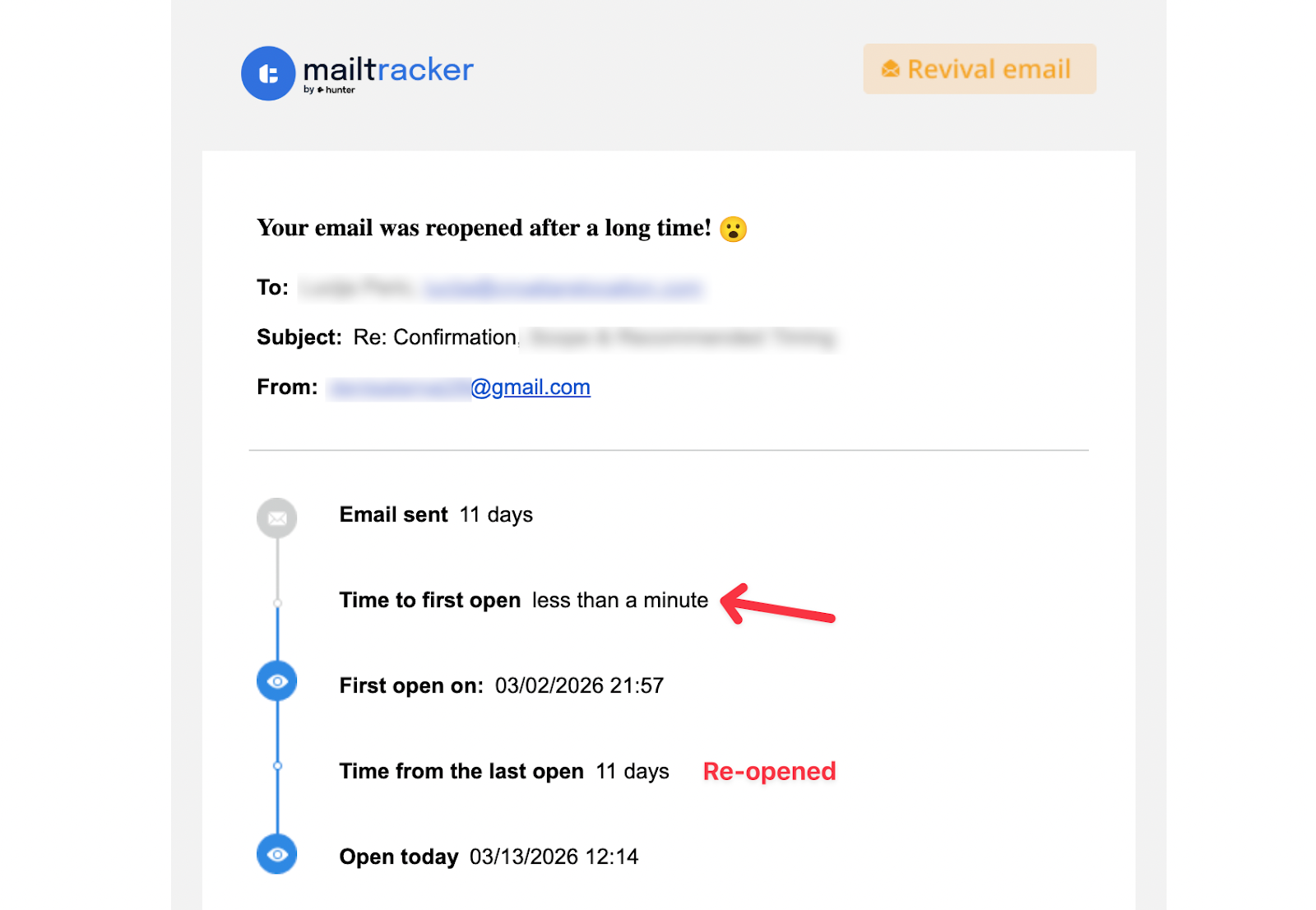
If you are looking for options that work directly in your browser, here is a full list of free email tracking extensions for Chrome.
With email tracking enabled, you can see:
- when your email is opened
- how many times it was viewed
- whether it was reopened later
- which device was used
This helps you understand whether your message was seen and decide when to follow up.
What Email Opens Actually Mean
Tracking an email open is useful, but interpreting that data is just as important.
- Opened once → your email was likely seen
- Opened multiple times → strong interest or intent
- Opened but no reply → hesitation, timing issue, or low priority
- No open → your email may be ignored, missed, or in spam
Understanding these signals helps you decide whether to follow up, wait, or adjust your message. If you want to know what good open rates look like across different contexts, we put together a breakdown of email open rate benchmarks worth knowing.
FAQs About Email Open Tracking in Gmail
Can Gmail tell you if someone opened your email?
No. Gmail does not automatically show whether someone opened your email. The only native option is a read receipt, which is available for Google Workspace accounts and still requires the recipient to approve the confirmation. Most users rely on email tracking tools to detect when an email is opened.
Can you check when an email was opened in Gmail?
Yes, but not directly in Gmail. Email tracking tools can notify you when an email is opened and sometimes show how many times it was viewed.
Does Gmail have a read receipt feature?
Yes, but only for Google Workspace accounts. Even then, the recipient must approve the request, which makes read receipts less reliable than email tracking tools.
How do email tracking tools know when an email is opened?
Email tracking tools use a small invisible image called a tracking pixel. When the recipient opens the email and images load, the pixel sends a signal confirming that the message was viewed.
Why can't I see if someone opened my email?
Some email clients block images or use privacy features that prevent tracking pixels from loading. Because of this, an email may appear as unopened even if it was read.
Is email open tracking always accurate?
No. Email open tracking is not always 100% accurate. Privacy features, image blocking, and email client settings can prevent tracking pixels from loading. It should be used as an indicator, not a guaranteed confirmation.
What does it mean if someone opens your email multiple times?
If someone opens your email multiple times, it usually indicates interest or intent. They may be reviewing your message, considering a reply, or sharing it with others. This can be a good signal to follow up.

