


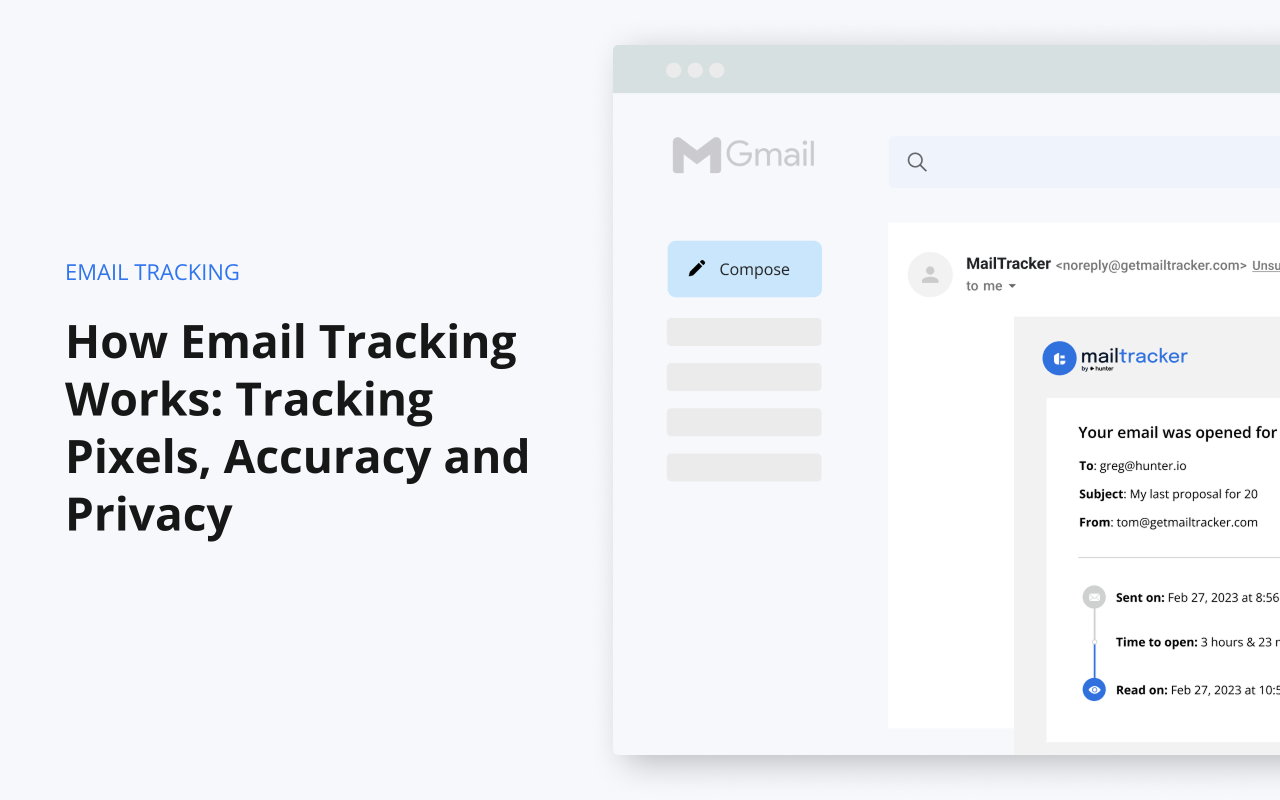
You hit send on an important email. A proposal, a job application, an invoice. Then nothing. Did they read it? Did it land in spam? Should you follow up? That’s the question email tracking answers. And how it does it is surprisingly simple: a tiny invisible image.
In this guide, we’ll show you exactly how email tracking works, what it can (and can’t) tell you, and why it’s sometimes wrong.
TL;DR
- Email tracking adds an invisible 1×1 image (a tracking pixel) to your email. When the recipient opens it, their email app loads the image, and the tracker records an open.
- Link tracking works differently. Links are routed through the tracker’s server, which records the click before sending the reader to the right page.
- Some real opens are missed (the recipient blocked images), and some opens are false (Apple Mail or a security scanner loaded the image, not a person).
- Email tracking can’t tell you how long someone spent reading. Opens don’t reveal location, because Gmail and Apple hide the recipient’s IP address.
- In Gmail, you can track emails for free with a Chrome extension like MailTracker (20 tracked emails per month, no signature added).
What Is Email Tracking?
Email tracking is a simple way to know what happens to an email after you send it. Most email trackers tell you two things:
- Opens: whether your email was opened, when, and how many times.
- Clicks: whether the recipient clicked a link in your email.
You’ll find email tracking in two kinds of tools. Email marketing platforms use it to measure newsletter campaigns sent to thousands of people. Email tracking extensions, like MailTracker, do the same for the one-to-one emails, like a sales pitch, a follow-up, an application.
What Is Email Tracking Used for?
Most people use it for 3 things:
- Timing follow-ups. You follow up when an email was opened but left unanswered, or when it hasn’t been opened after a few days.
- Knowing who is engaged. Several opens or a link click show which prospect, recruiter or client is paying attention to your email.
- Checking that an important email was seen. A proposal, an invoice or a job application: you know it was opened, instead of wondering.
Now let’s see how tracking works, starting with the pixel.
How Open Tracking Works: the Tracking Pixel
A tracking pixel is a tiny, invisible image (1×1 pixel) added to the body of your email. You can’t see it, and neither can your recipient. But their email app treats it like any other image: it has to download it to display the email. That download is what tells the tracker your email was opened.
Here’s what happens ⤵️
- You send your email. Your email tracker adds a tracking pixel to it. Each email gets its own unique image address, so the tracker knows which email it belongs to.
- The recipient opens your email. Their email app (Gmail, Apple Mail, Outlook…) starts loading the images in the message.
- The app requests the pixel from the tracker’s server. To show it, the app has to download it from the address hidden in the pixel.
- The server logs the open. It records the time of the request and adds it to the email’s open count.
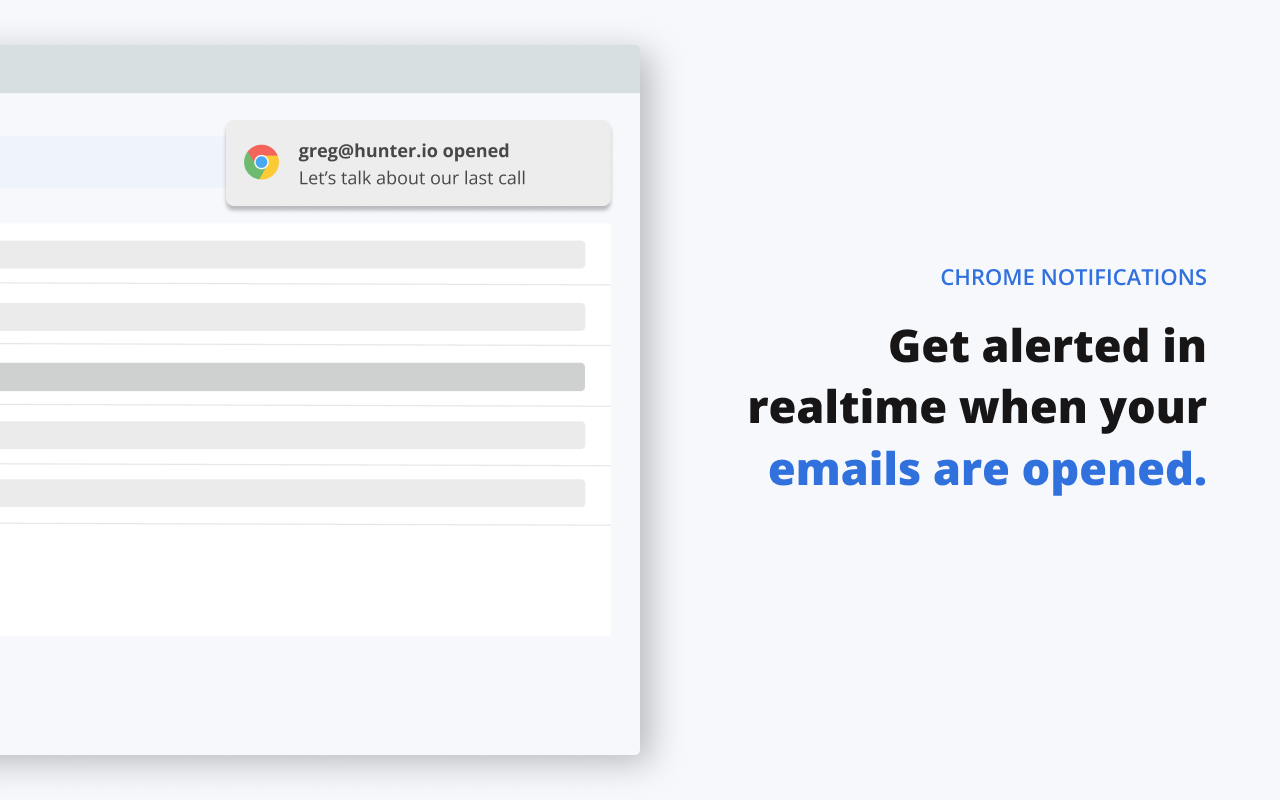
- You get notified. With MailTracker, you get a Chrome notification the first time your email is opened, and you can see which of your sent emails were opened.
The tracking tool never sees the email being read. It only sees the image being requested, sometimes through Google’s or Apple’s servers. If the email is opened again later, the image is requested again, and the tracker adds a new open.
What a Tracking Pixel Looks Like
In the code of the email, a tracking pixel is just a regular image tag, like this one:
<img src="https://tracker.example.com/open/8f3a9c.png" width="1" height="1" alt="">
The unique part of the address (here, 8f3a9c) is what links the open to your email. Nothing is installed on the recipient’s computer, and the pixel can’t read their inbox or their files. All it can do is record that the image was loaded.
How Link Click Tracking Works
Click tracking doesn’t use a pixel. It uses a redirect. Think of it as a quick detour through the tracker’s server. Your recipient can’t tell the difference. They click, and the page opens as usual. But the tracker’s server sees the click as they pass through. That’s what tells it your link was clicked.
Here’s what happens ⤵️
- You add a tracked link. The tracker swaps the original address for its own.
- The recipient clicks. They land on the tracker’s server first.
- The click is recorded. The tracker logs it against your email, with the time.
- They reach your page. The whole detour takes a fraction of a second, so the reader notices nothing.
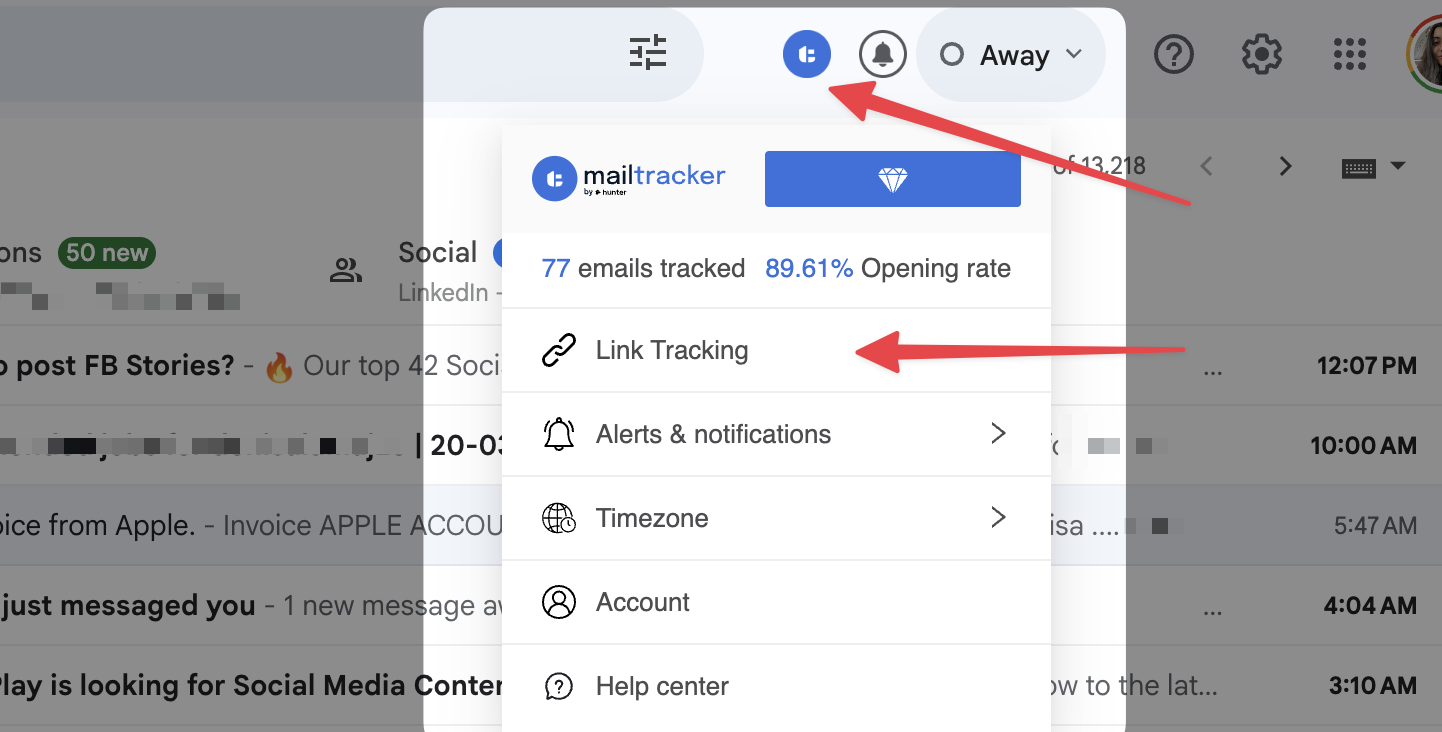
With MailTracker, link tracking is available on paid plans. You turn it on by inserting a link in the Gmail composer and checking Track this link. To prevent misuse for phishing, MailTracker verifies your account before activating it.
How Accurate Is Email Tracking?
Email tracking is a useful signal for timing follow-ups, but it can’t prove that someone read your email. A tracker only knows that an image was loaded. Most of the time, that means a person opened your email. Sometimes it doesn’t.
Tracking can record false opens
A false open is an open the tracker recorded, but that no one actually made. Here are the 3 causes behind most of them ⤵️
- Apple Mail Privacy Protection. Since 2021, Apple Mail on iPhone, iPad and Mac can load remote content in the background, “regardless of whether you engage with the email”, as Apple puts it. The result is an open soon after delivery, even if the email stays unread. According to Litmus, over 50% of email opens happen on a device with Mail Privacy Protection turned on.
- Security scanners. Many company email tools inspect incoming messages by loading their images and following their links. That can create a false open, and even a false click, seconds after delivery.
- Forwards. When your email is forwarded, the new reader loads the same pixel. It’s a real person, but not your recipient, and the open is counted on your email.
Tracking Can Miss a Real Open
A missed open is the opposite. The email was read, but the tracker never heard about it. The cause is always the same. The image never loaded, so there was no signal. It happens when ⤵️
- Images are blocked in the recipient’s settings, including the Gmail option to ask before displaying external images.
- A privacy extension or security tool blocks known tracking pixels.
Gmail itself doesn’t block tracking pixels. It shows images by default, so an open is recorded unless the recipient has changed that setting. And even when images are blocked, link clicks can still be tracked.
How to Read Your Tracking Data
Never judge from a single open. Look at the pattern, then decide what to do:
| What you see | What it likely means | What to do |
|---|---|---|
| One open within seconds, then nothing | Probably a machine (Apple, a security scanner) | Don’t count it as read. Wait. |
| Several opens over a few days | Real interest, or your email being shared | Good time to follow up |
| A link click | The strongest signal you can get | Follow up while it’s fresh |
| No open after a few days | Not seen yet, or images blocked | Follow up with a clearer subject line |
What Can Email Tracking Tell You?
A tracking pixel sends one signal: “this image was just loaded”. That’s all the tracker knows, plus the time of the request and, sometimes, the type of device. Everything you see in your dashboard is built on that.
| Question | Can email tracking answer it? |
|---|---|
| Was my email opened? | ✅ Yes, in most cases |
| When was it opened, and how many times? | ✅ Yes |
| Was a link clicked? | ✅ Yes, with link tracking |
| Was it opened on a computer or a phone? | ✅ Yes, MailTracker shows desktop or mobile when the information is available |
| Where is the recipient located? | ⚠️ Not from opens. Link clicks can show an IP-based location |
| Which recipient opened a group email? | ✅ With MailTracker, yes. Most trackers can’t, because a single pixel is the same for everyone who receives the email |
| Was my email forwarded? | ❌ Not directly. A forward shows up as extra opens |
| How long did they spend reading it? | ❌ No |
| Did it land in spam? | ❌ Not directly. An open tells you it reached someone; no open doesn’t tell you why |
Can Email Tracking Show the Recipient’s Location?
Not from opens. Gmail and Apple load images through their own servers and hide the recipient’s IP address, so the location you’d see for an open is often a Google or Apple server. Link clicks are different. When someone clicks a tracked link, their device contacts the tracker directly, so an IP-based location is possible. MailTracker lists IP location with link tracking among its features.
Can a Tracker Tell if My Email Was Forwarded?
Not as such. If your email is forwarded and the new reader opens it, the pixel is loaded again and counted as another open on your email. A sudden burst of opens from one email is often a sign it was shared internally.
Email tracking vs Gmail read receipts
Read receipts and email tracking answer the same question, but they work in opposite ways. A read receipt asks the recipient’s email app to send you a confirmation. Email tracking doesn’t ask anyone: it records the open on its own.
| Gmail read receipts | Email tracking (MailTracker) | |
|---|---|---|
| Works with personal @gmail.com accounts | ❌ | ✅ |
| Works with Google Workspace accounts | ✅ | ✅ |
| Recipient may be asked to approve | ✅ | ❌ |
| Records repeat opens | ❌ | ✅ |
| Tracks link clicks | ❌ | ✅ |
| Nothing to install | ✅ | ❌ (Chrome extension) |
| Results shown inside Gmail | ✅ | ✅ |
Want the full picture? Read our guide to Gmail read receipts.
Can Recipients Block Email Tracking?
Yes, recipients can block email tracking. Detecting it takes more effort.
To block tracking, a recipient can:
- Turn off automatic image loading in their email app (in Gmail, by choosing to ask before displaying external images).
- Use Apple Mail with Mail Privacy Protection turned on, which makes opens unreliable rather than invisible.
- Install a browser extension or security tool that blocks known tracking pixels.
To detect tracking, a recipient would need to:
- Look at the source code of the email and spot a tiny image hosted on a tracker’s server.
- Or use an extension that flags tracked emails.
Nothing in the email itself gives it away. MailTracker doesn’t add any signature, footer or “sent with” mention to your emails, and the pixel is invisible. Read more in Can someone tell if you’re tracking their emails?
Is Email Tracking legal?
Email tracking isn’t banned in itself, but the rules depend on where your recipients are, and they’re getting stricter in Europe.
- In the European Union, privacy rules treat a tracking pixel as access to information on the recipient’s device. That generally means you need the recipient’s consent, except in a few strictly necessary cases.
- In the United States, the main federal email law, the CAN-SPAM Act, doesn’t address tracking pixels. It requires commercial emails, including B2B ones, to identify the sender accurately and offer a working opt-out.
The tracker you use matters too. MailTracker doesn’t store your recipients’ email addresses or the content of your emails. It records whether an email was opened and how many times. For more on privacy, read Is email tracking legal?
How to Track Your Emails in Gmail with MailTracker
Now that you know how email tracking works, here’s how to set it up ⤵️
- Install MailTracker from the Chrome Web Store and connect your Gmail account.
-
Write your email in Gmail as usual. Tracking is turned on automatically. You can turn it off for a specific email in one click.
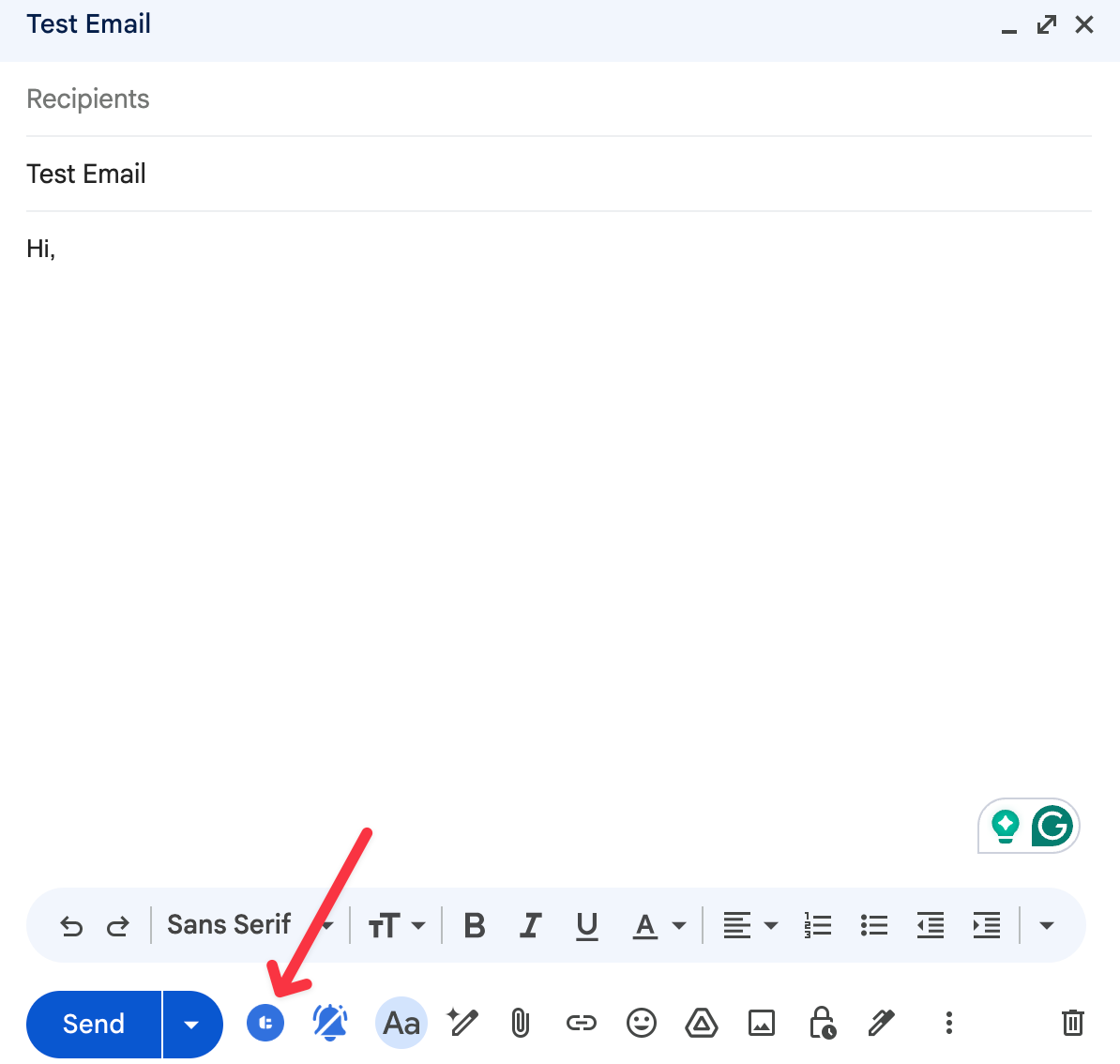
- Send it. No signature or footer is added, so your email looks exactly as you wrote it.
- Get notified. You receive a Chrome notification the first time your email is opened. You can also see which of your sent emails were opened without leaving Gmail.
- Follow up at the right time. MailTracker alerts you if an email hasn’t been opened within 48 hours. On paid plans, you can also set follow-up reminders.
MailTracker is trusted by 200,000 users and rated 4.7 stars.
➤ Start tracking your emails in Gmail (it’s free!)
Looking for other options? Compare the best email tracking tools.
FAQs
What is a tracking pixel in an email?
A tracking pixel is an invisible 1×1 image added to an email. When the recipient’s email app loads it, the tracker’s server records that the email was opened.
Does Gmail have built-in email tracking?
No. Gmail offers read receipts, but only for work or school accounts, and the recipient may be asked to approve them. To track opens from a personal Gmail account, you need an extension like MailTracker.
Does email tracking work on mobile?
Yes. Opens are recorded on a computer or a phone, as long as the recipient’s email app displays images. You need Chrome on a computer to send tracked emails with MailTracker, but your recipients can open them anywhere.
Does Gmail block tracking pixels?
No. Gmail shows images by default, so tracking pixels work and opens are recorded. The exception is a recipient who changed their settings to ask before displaying external images. The open is missed until they allow images.
Does opening my own email count as an open?
Not with MailTracker, as long as you open it in the browser where the extension is installed. If you open the email on another device, such as your phone, or in another browser, it can’t recognize you and the open may be counted.
Is email tracking 100% accurate?
No. Some real opens are missed when the recipient blocks images. Some opens are false positives. Apple Mail Privacy Protection and company security scanners load images automatically, even if nobody read the email.
Sources
- Request or return a read receipt, Gmail Help
- Mail Privacy Protection & Privacy, Apple
- iOS 15 Mail Privacy Protection and tracking pixels, MacRumors, June 10, 2021
- Gmail adds image caching: what you need to know, Litmus
- CAN-SPAM Act: a compliance guide for business, FTC

