


Mailsuite and MailTracker are both Gmail tracking extensions that tell you when someone opens your email. On the surface they look similar, but in practice, they make very different trade-offs.
The biggest difference between tools like Mailsuite and MailTracker is not the number of tracked emails. It is how usable the tracking data is in real workflows.
Mailsuite offers unlimited free tracking with a broader feature set. MailTracker keeps things simpler, with no signature added to your emails on any plan and real-time notifications instead of daily summaries.
I tested both tools on the same Gmail account, sent real emails, and noted what actually differs in daily use.
If you are new to email tracking, our guide on how to track emails in Gmail covers the basics, and this comparison of email tracking tools for Gmail gives you a broader view of what is available. Here is what I found.
Quick Verdict on Mailsuite vs MailTracker
If your workflow depends on knowing exactly when someone opens or reopens your email, tools like MailTracker are built specifically for that use case. Real-time signals make follow-up timing much more precise compared to daily summaries.
No signature on any plan, automatic tracking, real-time notifications the moment someone opens or reopens your email.
If you send a high volume of emails and the signature trade-off is acceptable, Mailsuite's unlimited free plan is genuinely hard to beat.
You get more tracked emails at zero cost, but you accept a "Sent with Mailsuite" line at the bottom of every message.
What I Found When Testing Mailsuite
Mailsuite has 3 million users and is one of the most widely used email tracking extensions on the Chrome Web Store. I tested it for several weeks to understand what that experience actually looks like day to day.
The first thing you notice is the signature. Every email sent on the free plan automatically includes "Sent with Mailsuite · Unsubscribe" at the bottom. It appears in your compose window before you send, and it goes out with every message unless you manually remove it each time.

For internal emails or high-volume outreach where branding does not matter, that is manageable. For a proposal, a client follow-up, or a job application, it changes how the email reads. Recipients see it and they know you are running tracking software.
The second thing is where your tracking data lives. Mailsuite is not just an email tracker. The dashboard includes Email Tracking, Click Reports, Campaigns, Templates, PDF Tracking, and a built-in CRM.
If you are evaluating other options that stay lighter on features, our list of free email tracking extensions for Chrome covers the main ones worth knowing.
That is genuinely useful for some workflows, but it also means your tracking data does not live inside Gmail. Every time you want to check who opened what, you leave your inbox and navigate an external dashboard. For someone whose entire workflow runs through Gmail, that context switch adds up over time.
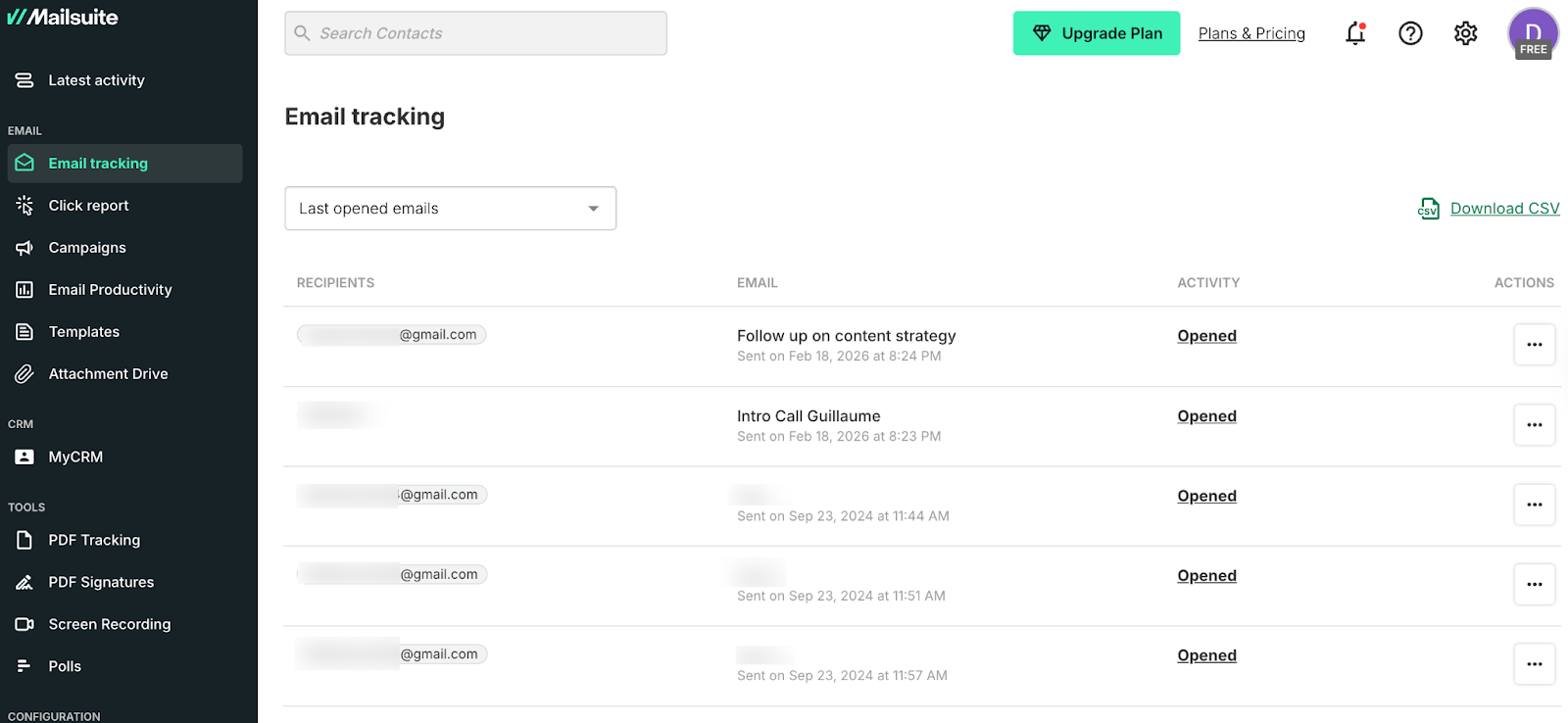
The third thing is notification timing. Mailsuite sends a daily summary report rather than real-time alerts. Below you can see what it looks like: sent at 8:23 PM and 8:24 PM, reported the following morning at 7 AM.

If someone opens your email at 2 PM and you get a daily digest at 7 AM the next morning, that open signal is already 17 hours old. For timing a follow-up based on when someone is actively engaged, that delay matters.
What Mailsuite does well: The free plan is genuinely unlimited. No monthly cap, no warnings, no hitting a limit mid-campaign. That is hard to find and it is the main reason people use it. If volume matters more than timing precision or signature-free emails, Mailsuite's free tier is one of the strongest on the market.
If the limitations we covered here are pushing you to look elsewhere, we put together a full list of Mailsuite alternatives that covers the main options.
What I Found When Testing MailTracker
MailTracker is rated 4.7/5 on the Chrome Web Store with over 5,100 reviews. I have used it across multiple Gmail accounts for client proposals, partnership pitches, and follow-ups.
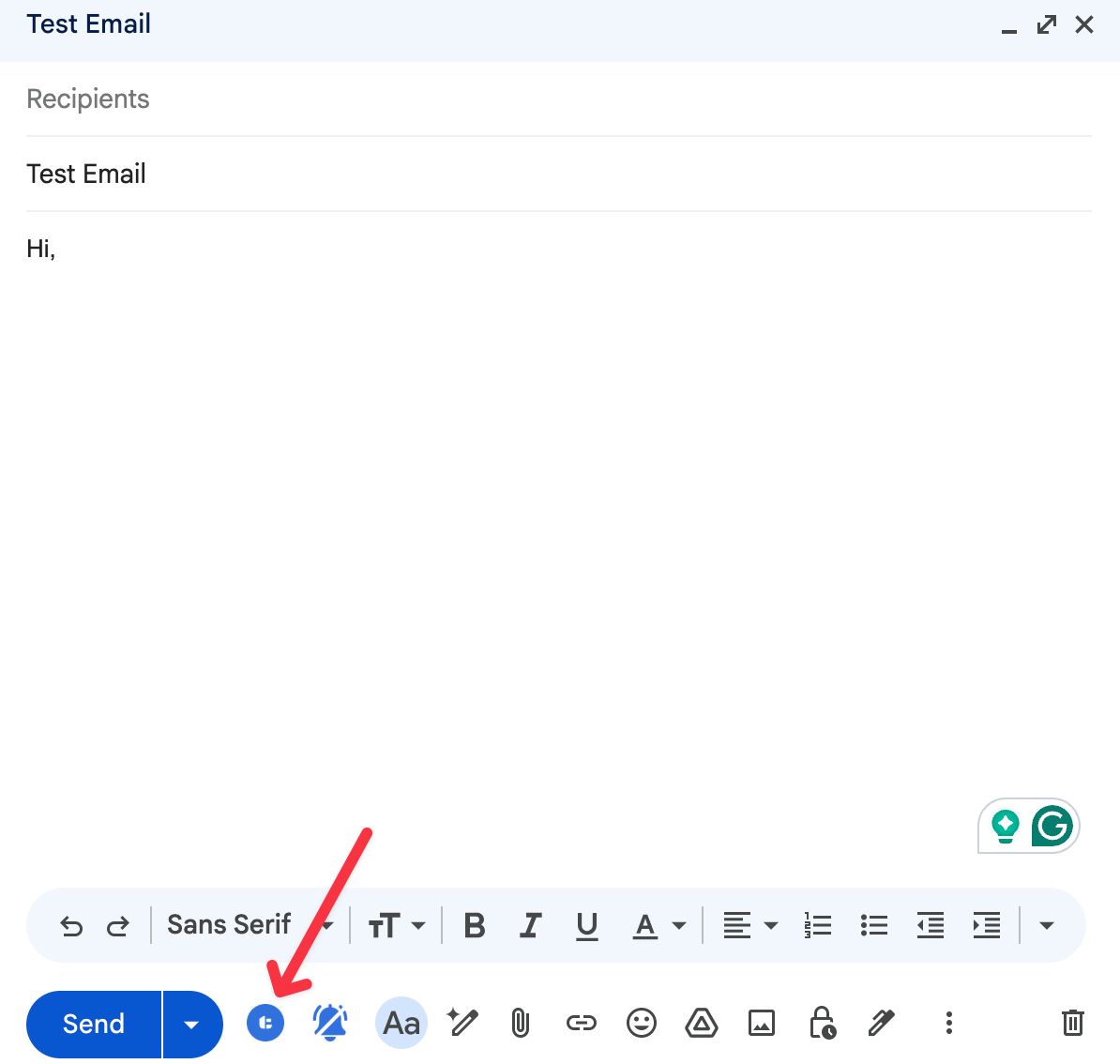
The install takes under a minute. After that, it sits as a small icon inside Gmail. Nothing else changes about how Gmail looks or works. You compose and send emails exactly as you normally would, and track email opens directly inside Gmail without switching to any other platform.
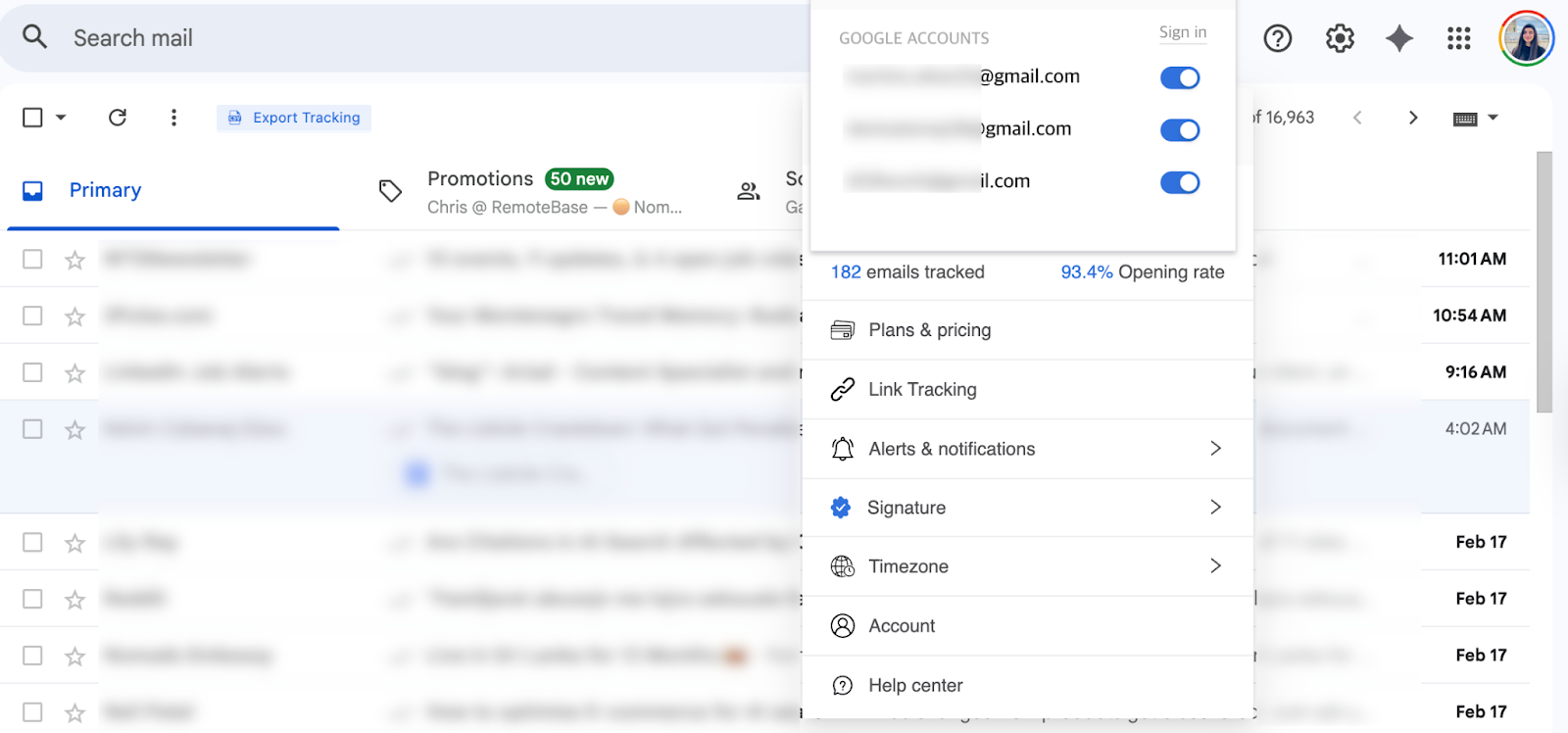
Tracking is automatic on every email. There is no checkbox to tick, no button to click before each send. You write the email, hit send, and MailTracker handles the rest in the background.
The moment someone opens your email, a real-time notification lands in your Gmail inbox. It shows the exact time it was opened, how long after you sent it, and when it was read.

And it does not stop at the first open. Every reopen sends a new notification. Below, it shows what a revival notification looks like when someone comes back to your email after a week of silence.
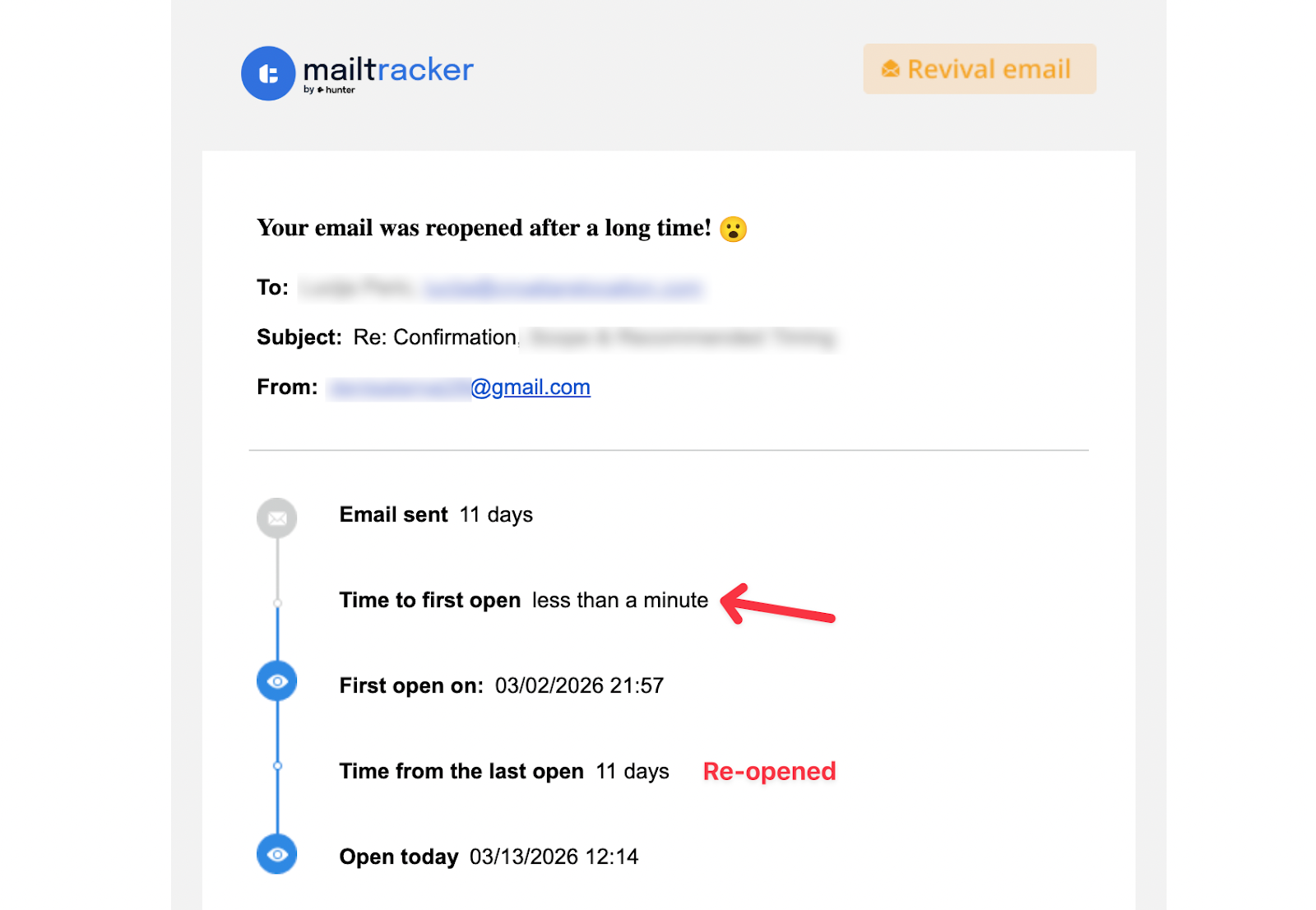
That reopen signal is the one that changes follow-up decisions in practice. One open could be a quick glance. An email reopened after 11 days of silence means something changed on their end.
That is your window to reach back out. We put together a full guide on email follow-up strategy based on opens and clicks that goes deeper into how to read these signals and act on them.
What sets MailTracker apart on the free plan is that no signature is ever added to your emails, on the free plan or any paid plan. Your messages look exactly as you wrote them. Recipients have no way of knowing you are tracking. For the full picture on what recipients can and cannot see: can someone tell if you are tracking their emails.
The one limitation: MailTracker's free plan covers 20 emails per month. That is enough for freelancers and consultants sending important individual emails. If you need to track more, the Growth plan starts at $29.99/month with a 7-day free trial.
The Signature Difference in Practice
This is the comparison that matters most for professional use. With Mailsuite on the free plan, every email you send looks like this to the recipient:
With MailTracker on the free plan or any paid plan, the recipient sees nothing. Your email looks exactly as you wrote it.
Most free email trackers add branding to your outgoing messages. MailTracker is one of the few that does not, on any plan. Here is a full breakdown of free email trackers without a signature if you want to see how the main options compare.
Real-Time vs Daily Summary Notifications
The notification difference is the second practical distinction between the two tools.
With Mailsuite, you receive a daily email summarising what happened across all your tracked emails in the last 24 hours. The screenshot above shows exactly what that looks like: two emails sent, read percentages, click rates, all in one morning report.
With MailTracker, the notification arrives the moment the email is opened. Not a summary. Not the next morning.
That timing matters when your follow-up strategy depends on knowing when someone is actively engaged. Calling a prospect or sending a follow-up while they are already thinking about your email is a different conversation than one that arrives hours later.
Pricing Compared
Mailsuite's paid plan at €9.99/month is cheaper than MailTracker's $29.99/month. If you are sending high volumes and the signature removal is the main reason to upgrade, Mailsuite's paid plan makes financial sense.

MailTracker's paid plan adds unlimited tracking, advanced link tracking, follow-up reminders, full tracking history, and scheduled email tracking. If you are already on the free plan and hitting the 20 email limit, the upgrade path is straightforward.

Which One Should You Use?
If you send professional emails to clients, recruiters, partners, or investors and you do not want a visible signature at the bottom of every message, MailTracker is the right tool. The free plan covers 20 emails per month, tracking is automatic, and notifications arrive in real time inside Gmail.
If you send a high volume of emails and the signature is not a concern for your use case, Mailsuite's unlimited free plan is hard to argue with. You get more tracked emails at zero cost, and the daily summary is enough if you are not timing follow-ups around specific open events.
If you are currently using Mailsuite and the signature is what pushed you to look for alternatives, the switch to MailTracker takes under a minute and nothing about your existing Gmail setup changes.
If you are new to email tracking altogether, our guide on how to track emails in Gmail without a CRM is a good place to start.
Frequently Asked Questions
What is the main difference between Mailsuite and MailTracker?
The main difference is the signature and notification timing. Mailsuite adds "Sent with Mailsuite · Unsubscribe" to every free-plan email and sends daily summary reports. MailTracker adds no signature on any plan and sends real-time notifications the moment an email is opened.
Does Mailsuite's free plan really have unlimited tracking?
Yes. Mailsuite's free plan has no monthly cap on tracked emails. The trade-off is the visible signature on every outgoing message and daily summary notifications instead of real-time alerts.
Is MailTracker really free?
Yes. MailTracker's free plan tracks up to 20 emails per month with no branding added to your messages. The Growth plan starts at $29.99/month for unlimited tracking and additional features.
Does switching from Mailsuite to MailTracker affect my existing emails?
No. Your existing Gmail emails stay exactly as they are. MailTracker starts tracking from the first email you send after installation. Nothing before that is affected.
Can I use both Mailsuite and MailTracker at the same time?
Technically yes, but it creates conflicts. You may get duplicate tracking signals or inconsistent open data. Pick one and uninstall the other for clean results.
Is email tracking safe and legal to use?
Yes, in most professional contexts. Both tools are GDPR-compliant. MailTracker is additionally ADA certified as a data controller. If you want to go deeper on the privacy and legal side, our guide on is email tracking safe covers everything you need to know.

